Cash Denomination Calculator | Count Notes & Live Rates
Cash Denomination Calculator — Count Notes & Live Rates
You are at the end of a long shift. The register is closed, the doors are locked, and the only thing standing between you and going home is a massive pile of mixed banknotes.
You start counting. You lose track. You start again. You wonder if you missed a 50 in the stack of 10s.
Counting cash by hand is slow, error-prone, and incredibly frustrating. Whether you are a cashier, a small business owner, a bank teller, or just organizing your wallet, human error costs time and money.
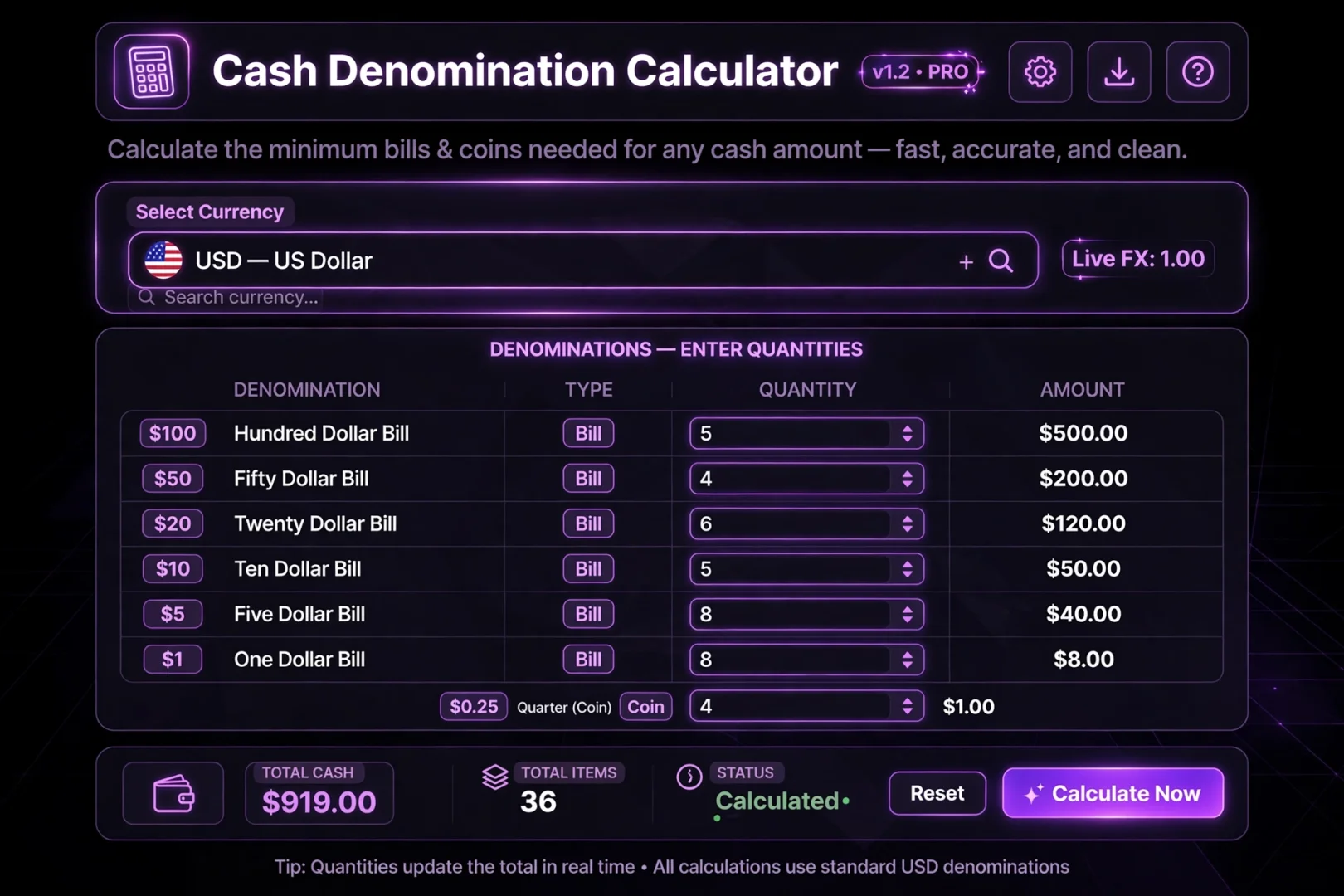
The Cash Denomination Calculator at useminitools.com was built to eliminate that error. It is a premium, dark-mode financial tool that counts your cash instantly. You just select your country's currency, type in how many of each note you have, and the engine calculates the total value immediately. It even includes a live exchange rate robot that fetches real-time global rates automatically.
What is a Cash Denomination Calculator?
A cash denomination calculator is an online tool designed to make counting money effortless. Instead of doing the math in your head or on a calculator, you simply enter the quantity of each banknote you hold, and the tool sums the total value instantly.
You may also hear these tools called a note counter, banknote calculator, or cash counter.
But our tool goes beyond basic counting. It is pre-loaded with the exact, real-world banknote denominations for 50 major world currencies. It also features a "Breakdown Mode" to help you figure out exactly which notes you need to reach a specific total, plus a live exchange rate grid.
How to Use the Cash Denomination Calculator
You do not need an account or a physical counting machine.
1. Select Your Currency
Click the premium searchable dropdown at the top of the tool. You can scroll through 50 supported countries, or simply type "PKR", "Japan", or "Dollar" to instantly filter the list and find your currency.
2. Choose Your Mode
The tool features two primary modes:
Count Notes: For when you have a pile of cash and want to know what it is worth.
Breakdown Total: For when you have a target amount and need to know which notes to pull from the drawer.
3. Count Your Notes (Count Notes Mode)
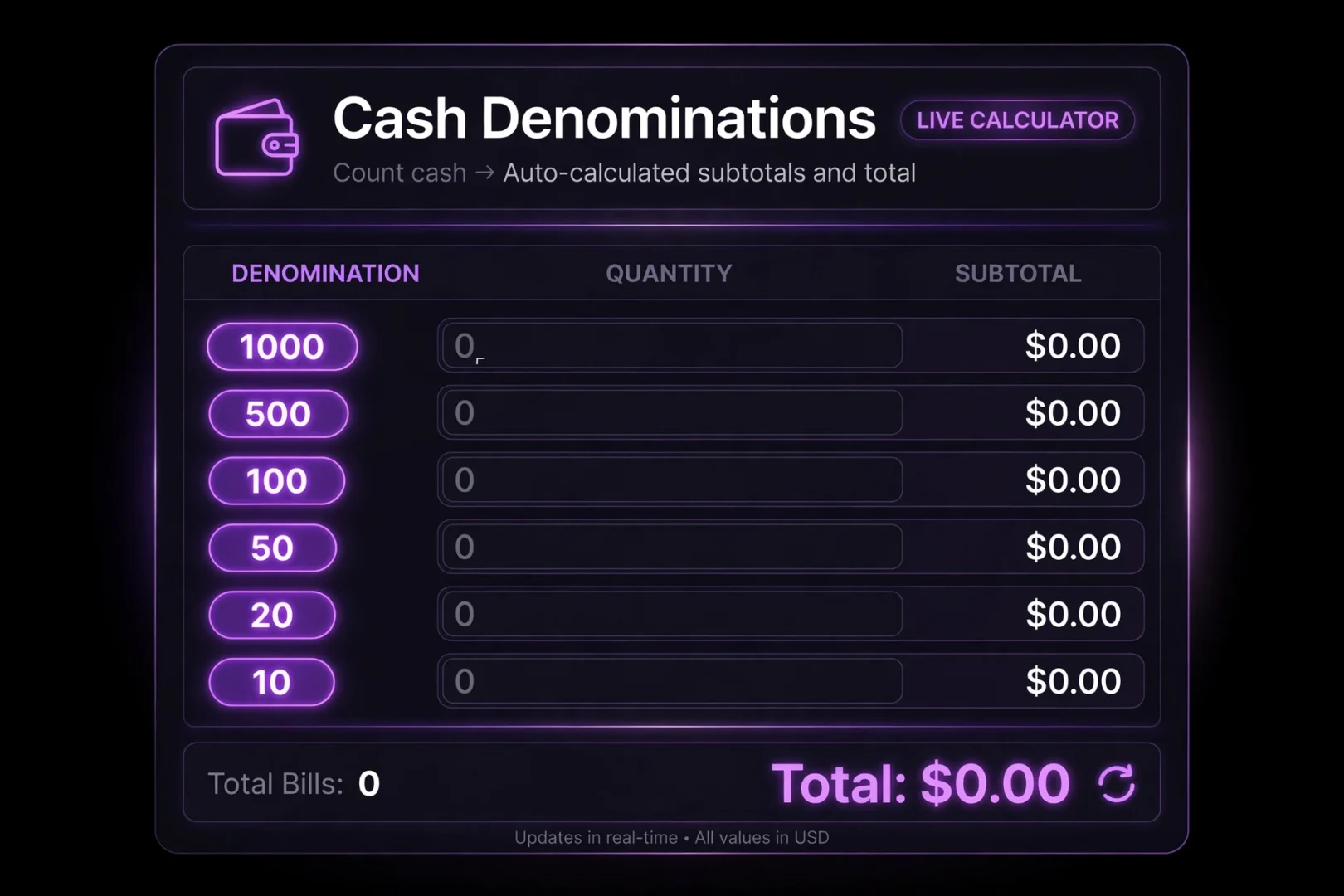
Once your currency is selected, the tool displays every real-world banknote for that country. For example, if you select PKR, it shows rows for 5000, 1000, 500, 100, 50, 20, and 10.
Type the number of notes you have for each denomination into the center column. The right column instantly calculates the value for that specific note, and the bottom of the card updates your Grand Total and your Total Note Count in real-time.
4. Break Down a Total (Breakdown Mode)
If you need to pay out $1,500 from a cash drawer and want to know the most efficient way to hand it out, switch to "Breakdown Total".
Enter your target amount. The engine instantly calculates the exact number of each banknote required to reach that total, leaving the smallest possible remainder. It even tells you if there is a remaining amount that requires coins or change.
The Premium Searchable Currency Dropdown
One of the worst things about multi-currency tools is scrolling through a massive, unsorted list of countries just to find yours.
We solved this with a premium, searchable dropdown. When you click the currency selector, a search bar appears. You can type the country name ("United States"), the currency name ("Dollar"), or the ISO code ("USD"). The list filters instantly. This makes switching between currencies for global accounting incredibly fast.
The Live Exchange Rate Robot
Money is connected. If you are holding 100 Euros, you probably want to know what that is worth in US Dollars, British Pounds, or Japanese Yen.
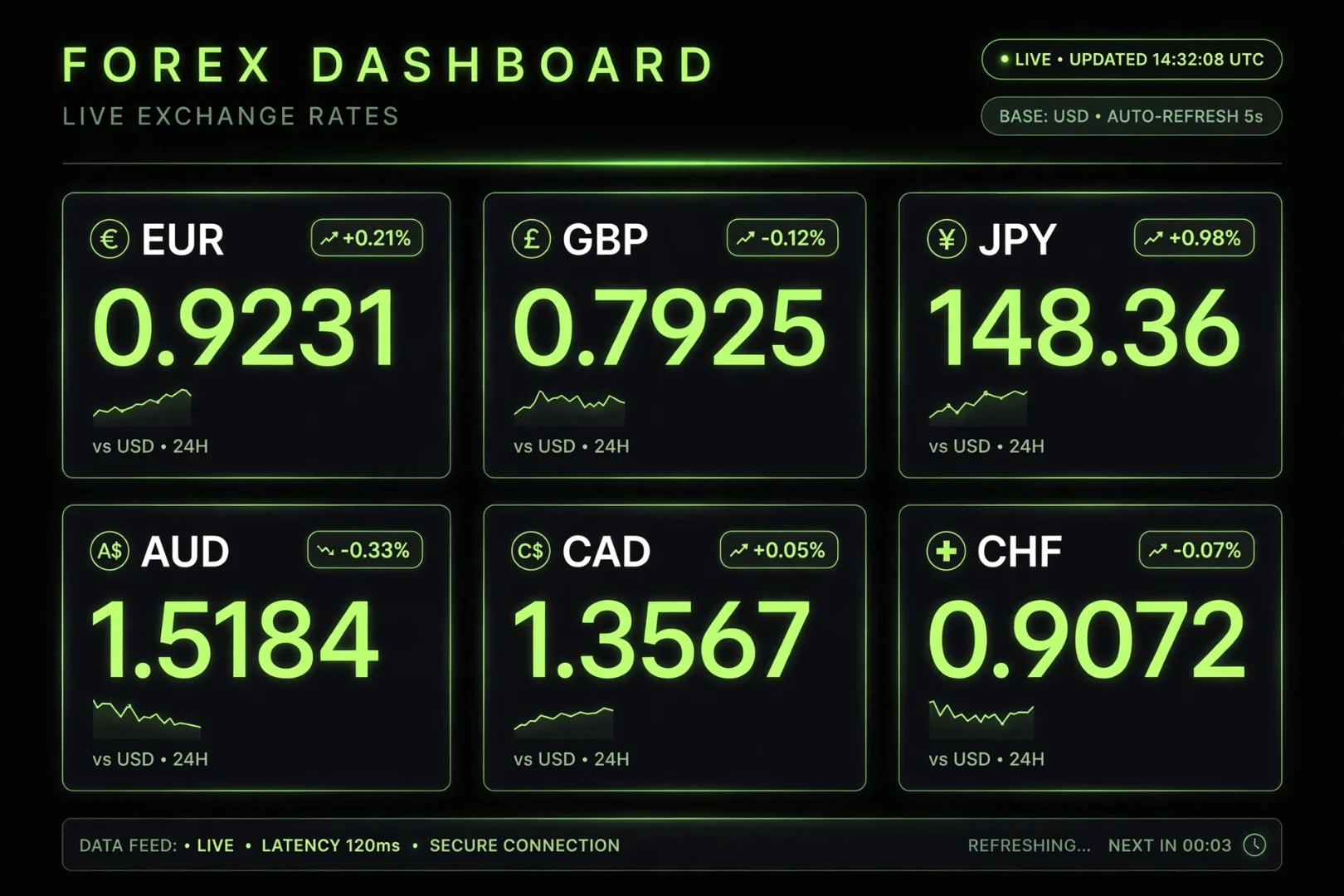
Our tool features a Live Rate Robot. When you select a currency, the tool connects to a live exchange rate API and fetches the real-time value of your selected currency against the other 49 supported currencies.
The robot displays these rates in a clean, responsive grid and automatically updates them every 60 seconds, ensuring you always have the most accurate conversion data available.
Why Use an Online Note Counter?
You might think a physical cash counting machine is enough. But online tools have distinct advantages:
Always Accurate: Machines can jam or miscount worn bills. This tool only counts the numbers you enter.
Zero Cost: Premium counting machines are expensive. This tool is 100% free.
Breakdown Planning: A physical machine can count what you have, but it cannot tell you which notes you need to reach a target amount.
Global Support: A machine in Pakistan counts PKR. This tool instantly switches to USD, EUR, INR, or 47 other currencies.
Is My Financial Data Safe?
Yes. 100% safe.
We understand that financial data is sensitive. That is why this tool is built as a privacy-first application. All counting and breakdown calculations happen entirely inside your browser using JavaScript. Your cash totals, banknote quantities, and currency preferences are never uploaded to a server, never saved to a database, and never read by anyone but you.
Fun Ways to Use the Cash Denomination Calculator
You do not have to be a bank teller to use this tool. Try using it to:
Close your register: At the end of a retail shift, use Count Notes mode to verify your drawer total in 10 seconds.
Event door sales: If you are selling tickets at a door and need to collect exact amounts, use Breakdown Mode to know exactly which notes to expect and how to make change.
Pocket cleanup: Empty your wallet, enter your notes, and see if you have enough for dinner without doing the math in your head.
Teach kids about money: Show children how 10 tens equal 100, or how a 500 note breaks down into smaller denominations.
Related Tools for Financial Management
If you are organizing your finances or running a business, there are a few other free tools on useminitools.com that might help your workflow:
Loan & EMI Calculator: Calculate monthly payments, view amortization schedules, and check affordability.
Percentage Calculator: Quickly calculate tips, discounts, and percentage changes.
Number to Words: Convert your final cash total into words for bank cheques and legal documents.
QR Code Generator: Generate QR codes for your payment links or store menus.
Frequently Asked Questions
What is a cash denomination calculator?
A cash denomination calculator is an online tool that allows you to enter the quantity of various banknotes you hold and instantly calculates the total cash value.
How does the note counter work?
Simply select your currency, type the number of bills you have for each denomination (e.g., five 100s, two 50s), and the tool automatically multiplies the quantity by the denomination and sums the total.
What is "Breakdown Total" mode?
Breakdown mode does the reverse of counting. You enter a target amount (like $1,500), and the tool tells you the exact number of each banknote you need to reach that total with the least amount of change.
Does the tool support different currencies?
Yes. The tool supports 50 major world currencies, each pre-loaded with their exact, real-world banknote denominations. You can search for your currency using the searchable dropdown.
Are the exchange rates live?
Yes. The tool features a Live Rate Robot that fetches real-time exchange rates for your selected currency against 49 others, updating automatically every 60 seconds.
Is this cash counter free to use?
Yes. The tool is 100% free, requires no signup, and all calculations happen locally in your browser.
Because Every Cent Counts
Whether you are closing a retail shop, paying out a poker pot, or just trying to figure out how much money is shoved in your glove compartment, counting cash by hand is a recipe for mistakes.
A single miscounted 100 note can throw off your entire register balance.
The Cash Denomination Calculator takes the math out of your hands and puts it into a fast, private, and accurate engine. Select your currency. Enter your notes. Get your total.
Then, get back to doing the things that actually matter.
Cipher
Founder & Lead Developer, ToolKit
Cipher is an independent developer who prefers to let the work speak for itself. They designed and coded every tool on ToolKit to ensure they remain fast, private, and beautifully designed for everyone. No fame, no face — just premium tools that work.
