 Translate
Loan & EMI Calculator | Amortization & Interest Breakdown
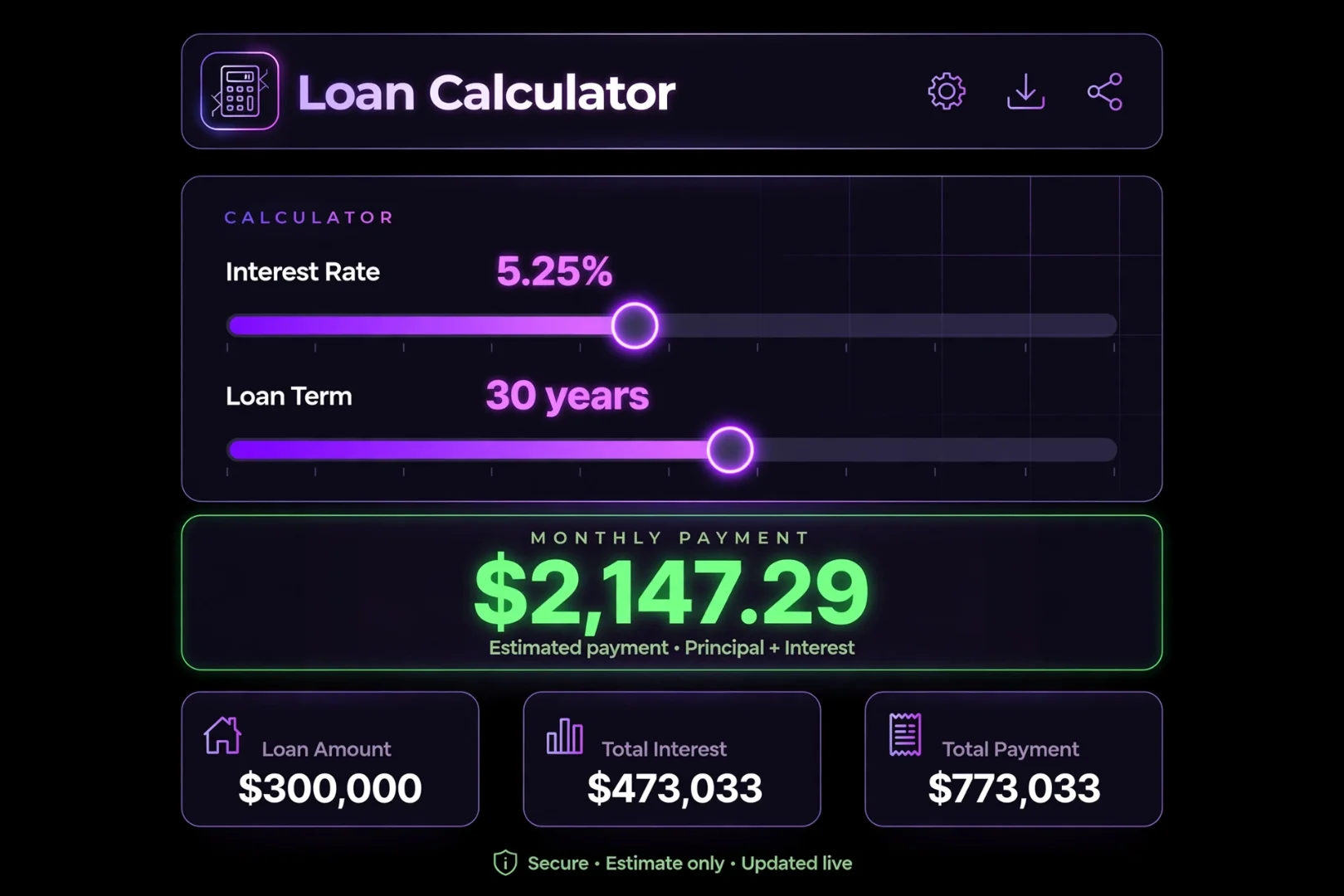
Loan & EMI Calculator: Amortization, Interest & Affordability
Taking out a loan is one of the biggest financial decisions you will ever make.
Whether you are buying your first home, financing a new car, or taking out a personal loan to consolidate debt, the numbers can feel overwhelming. You are handed an interest rate and a term, but what does that actually mean for your monthly budget? How much of your hard-earned money is actually going toward the principal, and how much is getting eaten up by interest?
If you just sign the papers without doing the math yourself, you are flying blind.
The Loan & EMI Calculator at useminitools.com was built to give you complete clarity. It is a premium, dark-mode financial dashboard that does the heavy lifting for you. It calculates your monthly EMI, generates a full amortization schedule, allows you to compare two loans side-by-side, and even tells you how much house you can safely afford.
What is a Loan & EMI Calculator?
A Loan & EMI calculator is an online tool that calculates your periodic loan payments based on the principal amount, interest rate, and loan term.
If you are in North America or Europe, you usually call this a mortgage calculator or a monthly payment calculator. If you are in South Asia, you likely know it as an EMI calculator (Equated Monthly Installment).
Whatever you call it, the goal is the same: to show you exactly what a loan will cost you before you sign the dotted line.
Our calculator goes beyond basic math. It handles down payments, supports bi-weekly payment schedules, calculates the impact of prepayments, and uses the standard 28/36 Debt-to-Income rule to check your loan eligibility.
How to Use the Loan Calculator
You do not need to be a financial advisor to use this tool.
1. The Calculator Tab
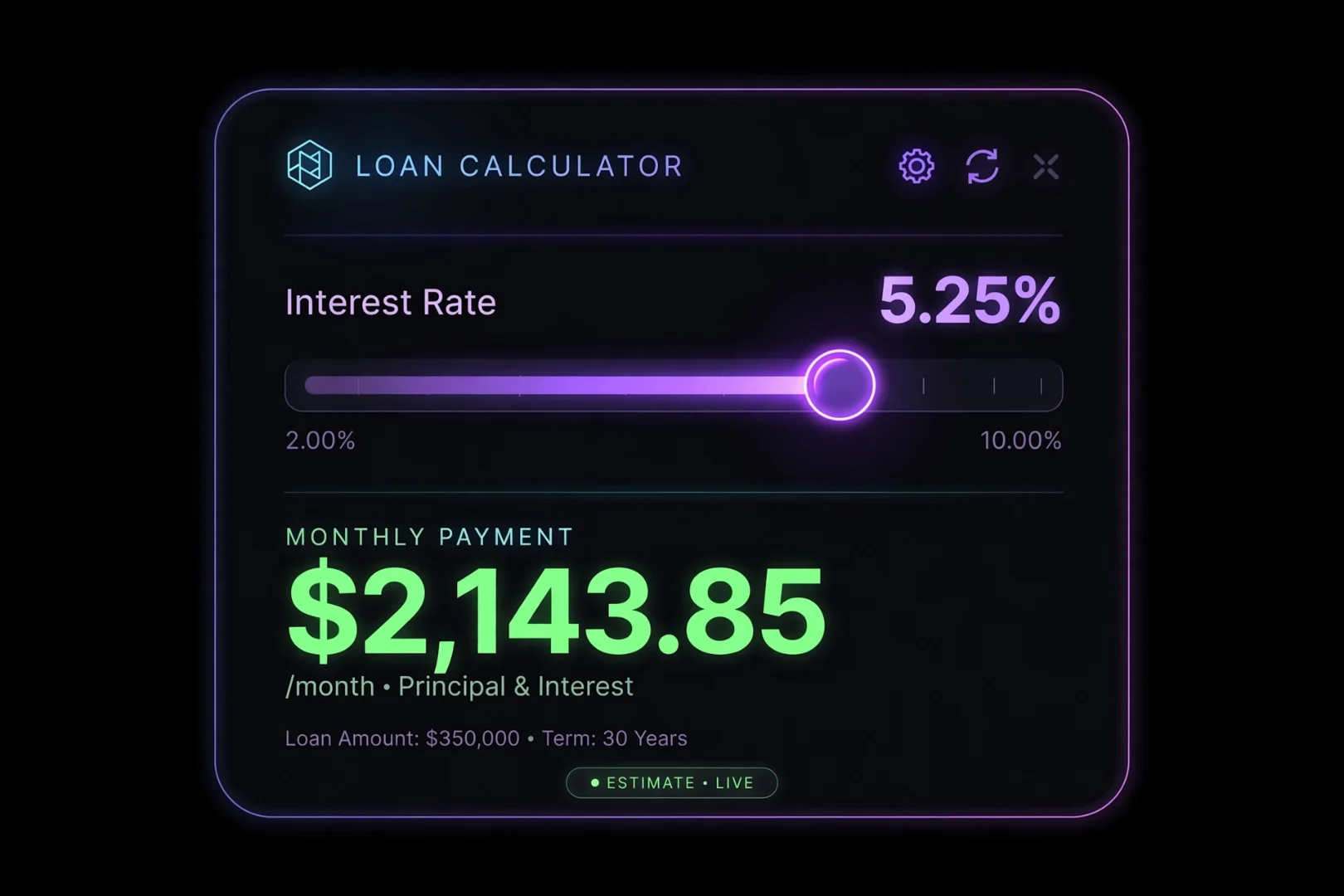
Start by selecting your currency. We support 40+ world currencies, from USD and EUR to PKR and INR. Next, you can either click one of the quick presets (Home Loan, Car Loan, Personal Loan, Student Loan) or enter your own numbers.
Purchase Price: The total cost of the item you are buying.
Down Payment: The upfront cash you are paying. Use the slider to instantly see how a larger down payment reduces your loan principal.
Annual Interest Rate: The rate your bank is charging you.
Loan Term: How many years you will take to pay it off.
Payment Frequency: Toggle between Monthly and Bi-Weekly. (Spoiler: Bi-Weekly saves you a lot of interest).
2. The Amortization Schedule Tab
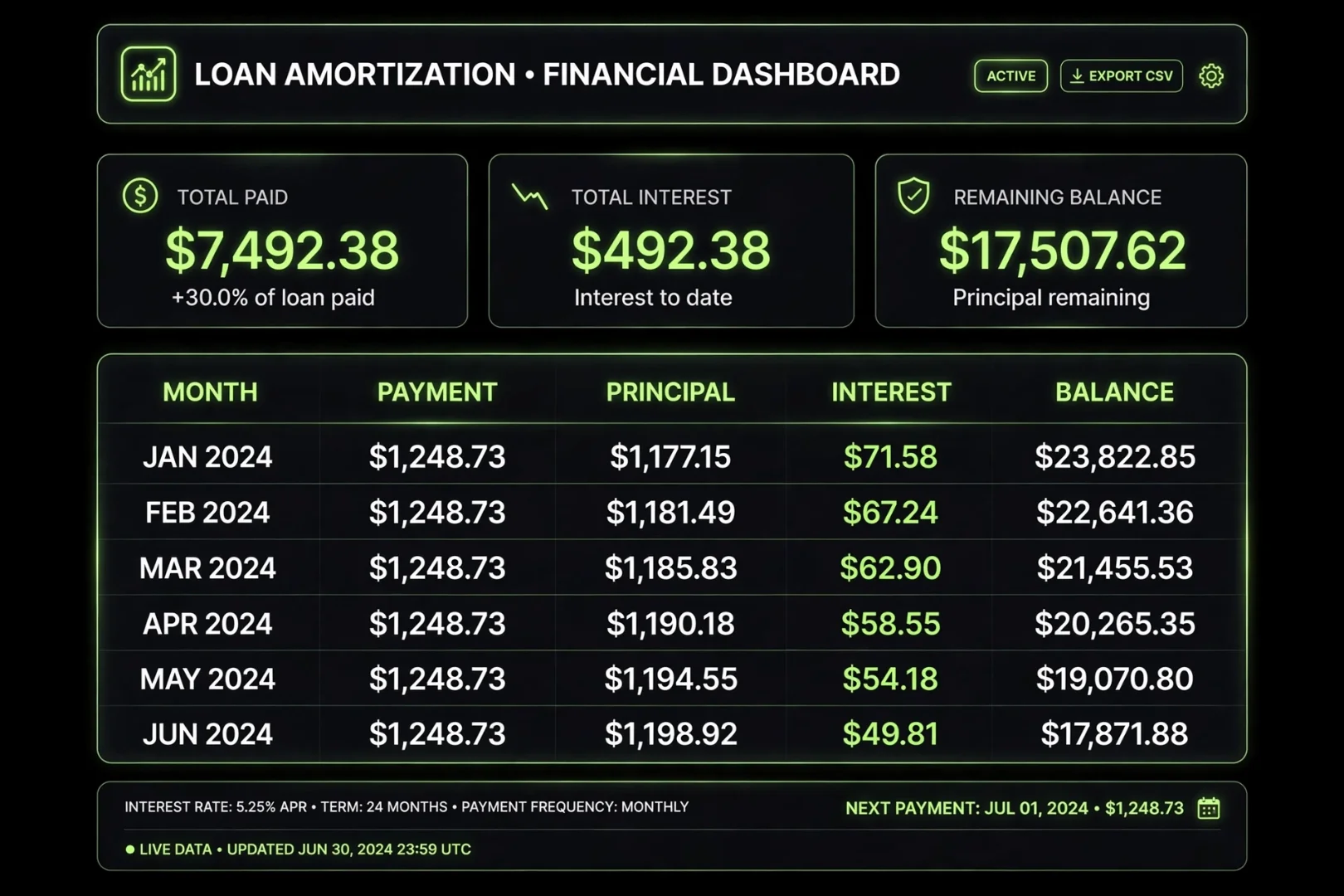
Have you ever wondered exactly how much of your payment goes to the bank and how much goes to your loan balance every single month?
The Amortization Schedule tab generates a complete, month-by-month breakdown of your entire loan. It shows you the exact amount of Principal and Interest paid for each month, along with your remaining balance. You can even download the entire schedule as a CSV file to open in Excel.
3. The Compare Tab
Trying to decide between a 15-year and a 30-year mortgage? Or comparing offers from two different banks?
The Compare tab lets you put two loans side-by-side. Enter the details for Loan 1 and Loan 2, and the tool will instantly calculate which loan saves you more money in total interest.
4. The Prepayment Tab
Did you know that paying just a little extra every month can cut years off your loan?
The Prepayment tab lets you simulate adding an extra amount to your monthly payment. The engine instantly calculates exactly how many years you will shave off your term and how much interest you will save.
5. The Affordability Tab
Before you start house hunting, you need to know your budget.
The Affordability tab uses the standard 28/36 Debt-to-Income (DTI) rule. You enter your annual income, your current monthly debts, and your available down payment. The tool calculates the maximum home price you can safely afford without becoming house-poor.
How is EMI Calculated?
If you want to understand the math behind the tool, here is the standard EMI formula:
EMI = [P x R x (1+R)^N] / [(1+R)^N - 1]
P = Principal loan amount
R = Monthly interest rate (Annual rate divided by 12)
N = Loan term in months
For example, if you borrow $100,000 at a 6% annual interest rate for 30 years (360 months), your monthly interest rate is 0.5% (6/12). The formula calculates a fixed monthly payment that pays off both the principal and the interest over the exact term.
You do not need to memorize this formula. The tool handles it instantly in your browser.
The 28/36 Rule: How Much Can You Afford?
If you use the Affordability tab, you will encounter the 28/36 rule. This is the golden rule used by banks and financial advisors.
The 28% Rule: Your total monthly housing payment (including mortgage, property taxes, and insurance) should not exceed 28% of your gross monthly income.
The 36% Rule: Your total monthly debt payments (housing + car loans + student loans + credit cards) should not exceed 36% of your gross monthly income.
If you stay within these limits, you are considered a safe borrower. If you exceed them, you risk becoming financially overextended. You can use our tools at useminitools.com to test your numbers and ensure you stay in the safe zone.
Bi-Weekly vs Monthly Payments: The Secret to Saving Interest
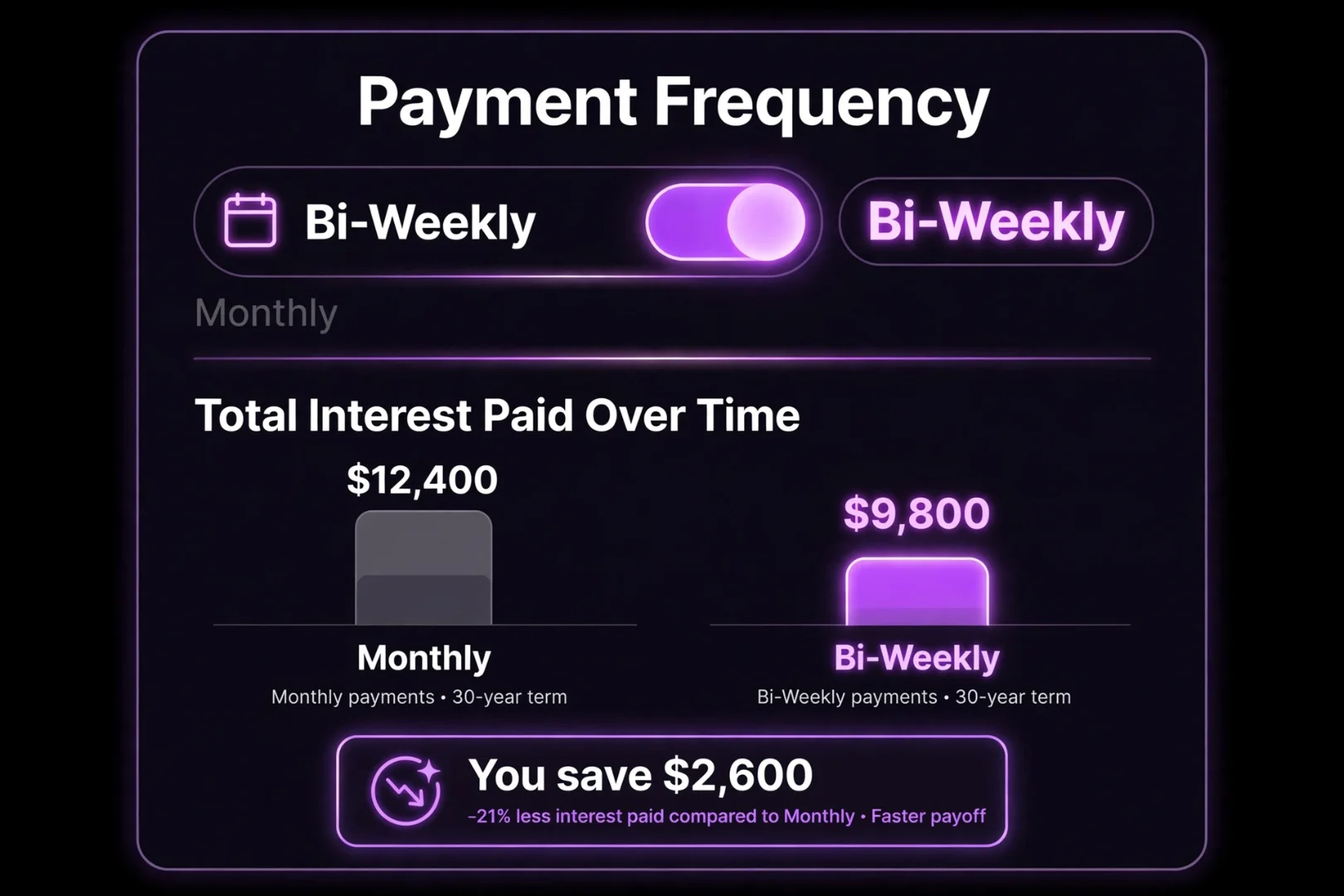
When you toggle from Monthly to Bi-Weekly in the calculator, you will notice your total interest drops significantly. Why?
There are 52 weeks in a year. If you pay half your monthly payment every two weeks, you make 26 half-payments. 26 divided by 2 equals 13 full monthly payments.
By paying bi-weekly, you accidentally make one extra full payment every single year. This extra money goes directly to your principal, which reduces your balance faster and slashes the total interest you pay over the life of the loan.
Is My Financial Data Safe?
Yes. 100% safe.
We understand that financial data is sensitive. That is why this tool is built as a privacy-first application. All calculations happen entirely inside your browser using JavaScript. Your income, debts, and loan details are never uploaded to a server, never saved to a database, and never read by anyone but you. You can safely check your loan eligibility without worrying about spam calls from banks.
Fun Ways to Use the Loan Calculator
You do not have to be actively buying a house to use this tool. Try using it to:
Test your "Lottery" budget: If you ever win the lottery, how big of a house could you afford with zero debt?
Check your car dealer's math: Car dealers love to talk about "monthly payments" to hide the true cost. Use the calculator to see the total interest you are actually paying.
Plan for the future: Enter your expected salary in 5 years to see what kind of house you might be able to afford then.
Related Tools for More Help
If you are organizing your finances, there are a few other free tools on useminitools.com that might help:
Percentage Calculator: Quickly calculate tips, discounts, and percentage changes.
Cash Denomination Calculator: Count your physical cash instantly.
Number to Words: Convert your loan amount into words for bank cheques.
Date Difference Calculator: Calculate exact days between two dates for financial planning.
Frequently Asked Questions
What is an EMI?
EMI stands for Equated Monthly Installment. It is the fixed amount you pay every month to repay a loan. It consists of two parts: the principal (the money you borrowed) and the interest (the bank's fee).
How is the monthly payment calculated?
The calculator uses the standard amortization formula: EMI = [P x R x (1+R)^N] / [(1+R)^N - 1]. It calculates a fixed payment that ensures your loan is exactly paid off by the end of the term.
Does the tool support different currencies?
Yes. The loan calculator supports 40+ world currencies, including USD, EUR, GBP, PKR, INR, JPY, and more. You can switch currencies at the top of the tool.
What is an amortization schedule?
An amortization schedule is a table showing every single payment you will make over the life of the loan. It breaks down each payment into the principal amount and the interest amount, showing your remaining balance after each month.
Is the affordability calculator accurate?
The affordability calculator uses the standard 28/36 Debt-to-Income rule, which is the industry standard for loan eligibility. However, banks also look at your credit score and employment history. Always consult a financial advisor before making major financial decisions.
Is this loan calculator free to use?
Yes. The tool is 100% free, requires no signup, and all calculations happen locally in your browser.
Because Financial Clarity is Peace of Mind
Debt is stressful. Not knowing how much a loan will cost you is even more stressful.
But when you can see the numbers clearly, the anxiety fades. You can look at a $300,000 mortgage and know exactly what it means for your monthly budget. You can see the impact of a 1% interest rate change. You can calculate how one extra payment a year saves you thousands in interest.
The Loan & EMI Calculator at useminitools.com won't give you the money to buy a house. But it will give you the knowledge to make smart, safe, and confident financial decisions.
Enter your numbers. Adjust the sliders. Download the schedule.
Then, walk into the bank knowing exactly what you are getting into.
Cipher
Founder & Lead Developer, ToolKit
Cipher is an independent developer who prefers to let the work speak for itself. They designed and coded every tool on ToolKit to ensure they remain fast, private, and beautifully designed for everyone. No fame, no face — just premium tools that work.
