 Translate
Free Text to Speech AI — Listen to Any Text | Toolkit
Text to Speech
Turn any text into natural speech with every voice on your device - word highlighting, speed and pitch control, pause markers. Free, private, no API key.
Your Device Has Been a Voice Actor This Whole Time
It was 11 pm, my eyes burned after a full day of screens, and there were still two articles I needed to read. On a whim, I pressed play on a text-to-speech tool — expecting the robotic robot-voice of the early 2000s. What came out of my speakers instead was a clear, natural voice that finished both articles while I stretched, closed my eyes, and actually absorbed the words. That night changed how I consume text forever, and it cost exactly nothing.
Here is what most people don't realize: your phone and computer already ship with free text to speech built deep inside them. Modern systems include neural AI voices that are genuinely pleasant — some are honestly hard to distinguish from a human recording. The technology was never missing. What was missing was a clean, free way to use it: no character caps, no accounts, no per-word billing, no uploads. So that's what we built — and this guide shows you how to get the most out of it.
How AI Voice Technology Ended Up Free
There are two generations of text to speech, and the difference matters when you choose a tool.
The old generation stitched together recorded syllables. Every word had to exist in a database, spoken by the same stiff voice, and anything unusual came out choppy and robotic. That era is where the "TTS sounds terrible" stereotype was born — and honestly, some older devices still sound that way.
The current generation runs on AI. Modern voices are neural — generated fresh, syllable by syllable, with natural rhythm, breathing, and emphasis. Windows, Edge, and most phones now ship these neural voices as standard. This is the same shift that made AI image generators and AI transcription explode: the models got good, and they moved onto your device.
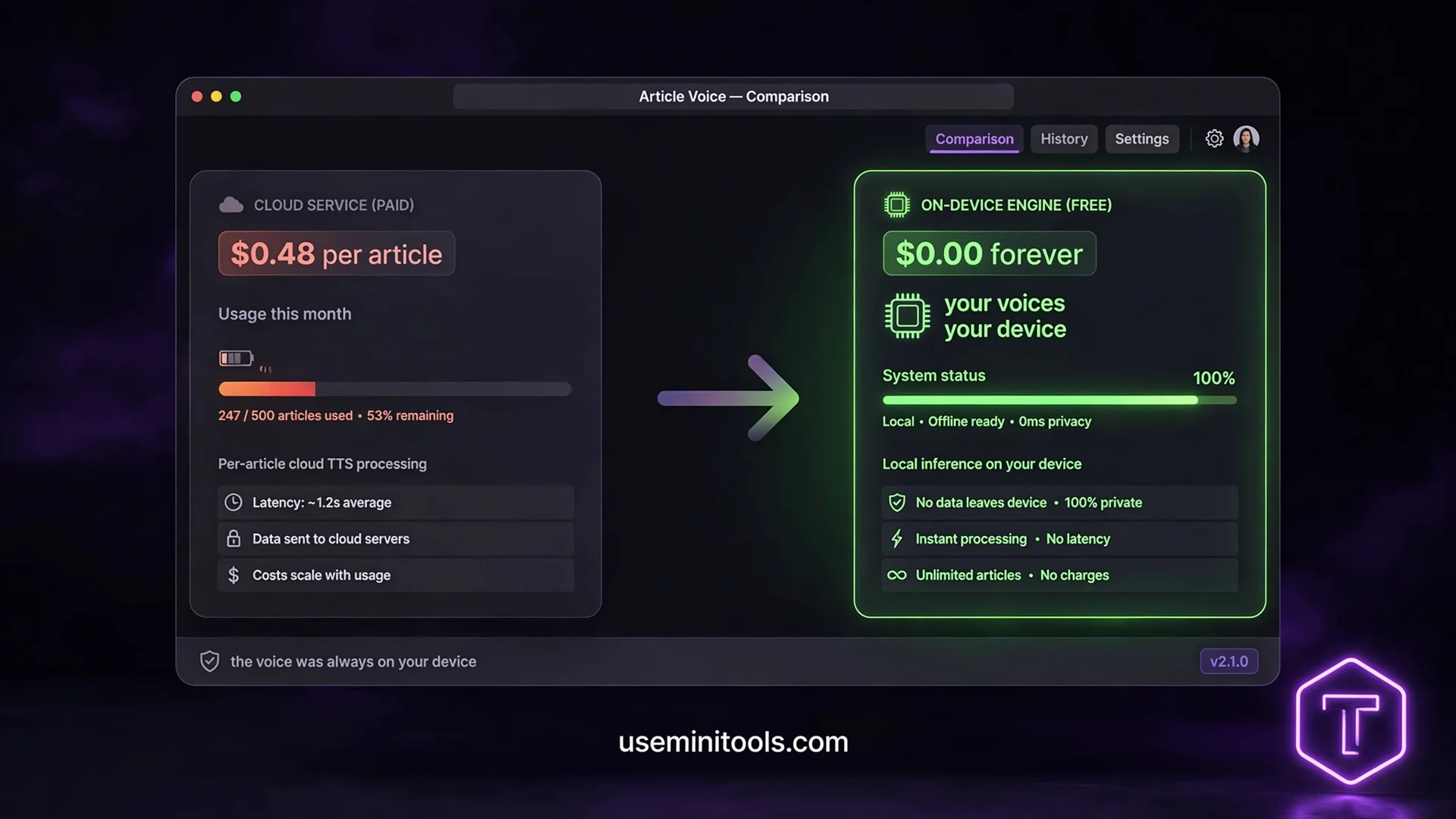
The catch that nobody mentions: most websites put a paywall between you and that engine. They connect to the same system voices through an API, then bill you per character — as if your own device's voices were somehow their product. The voice was always on your machine. The bill was always optional. Our tool simply removes the middleman: it speaks through the voices already installed on your device, which is why unlimited characters cost exactly zero and why your text never touches a server.
What Makes This Text to Speech Different
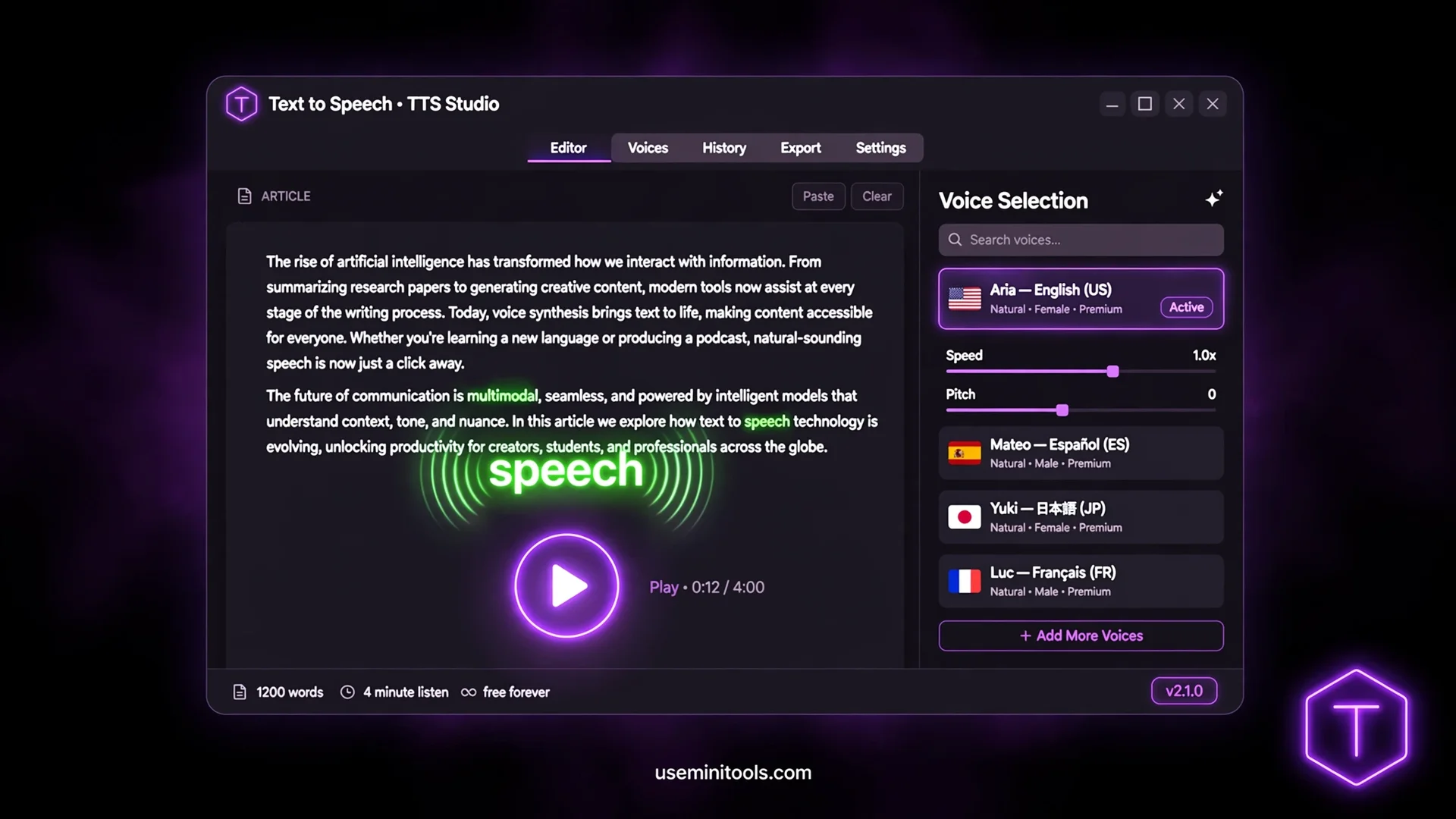
Drop any text into the tool and three things happen instantly. First, a live counter shows your word count, character count, and — my favorite detail — what this exact text would cost on paid TTS APIs. Paste a long article and watch it read $0.48, $1.20, more. That number is real: it's what other platforms would bill for the same audio. Here it's a curiosity, not an invoice.
Second, the words light up as they're spoken. Karaoke-style highlighting follows the voice in real time — the word being said glows green, so your eyes can follow or rest entirely. It turns passive listening into a follow-along reading session, which is gold for study and proofreading.
Third, the voice picker lists every voice installed on your device, grouped by language — English, Arabic, Urdu, Hindi, and dozens more depending on your system. No voice downloads, no voice marketplaces, no premium voice packs. And your choice is remembered: come back tomorrow and your voice, speed, and text are exactly where you left them.
The Controls That Actually Matter
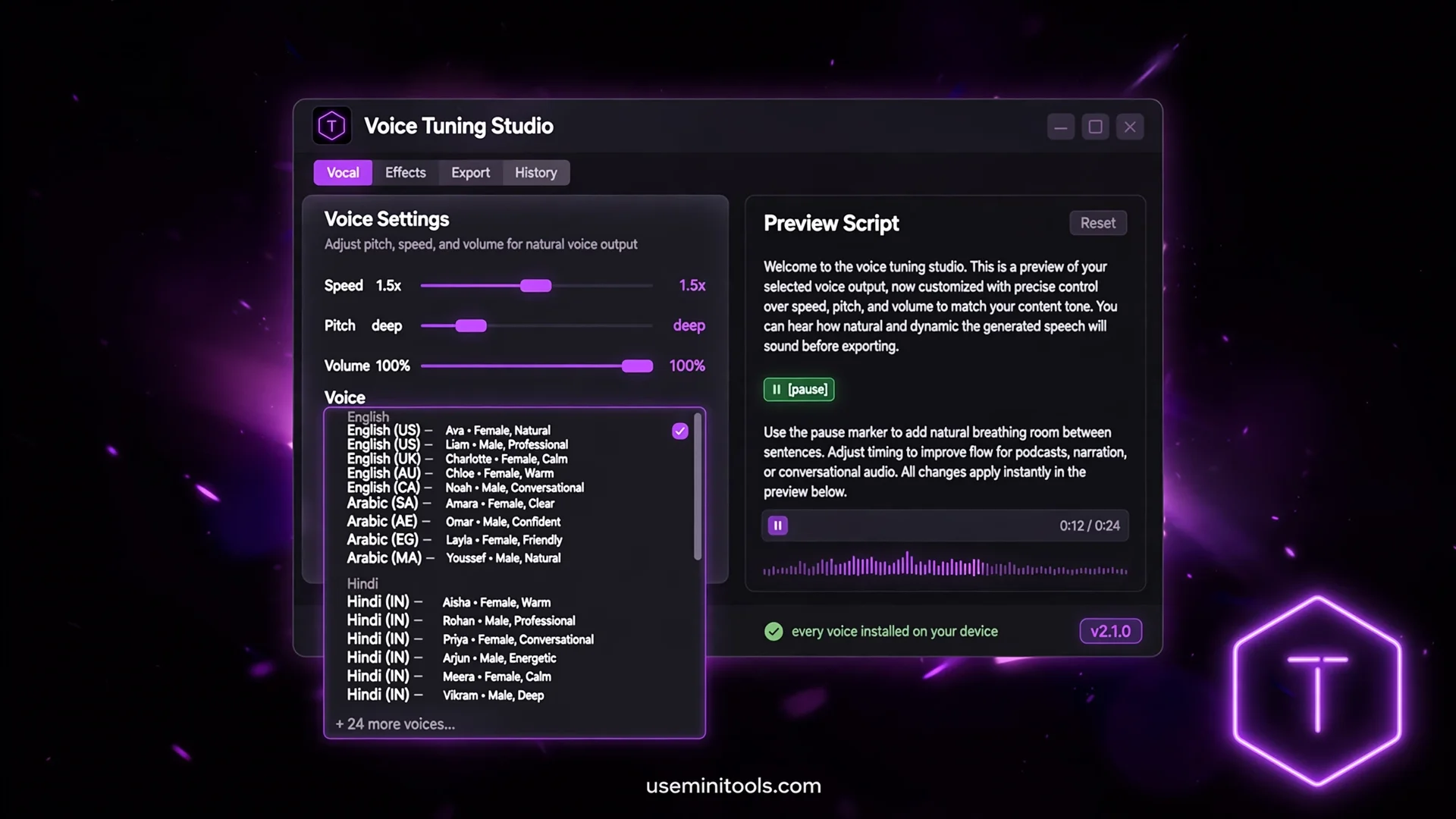
Most TTS tools give you one play button and call it a day. Reading is personal — so the controls go deeper:
Speed from 0.5× to 2× — half pace for dense study material, double speed for skimming your own drafts
Pitch from deep to bright — the same text becomes a calm narrator or an energetic presenter
Volume with its own slider — independent of your system volume
Quick preview — hear your settings applied to the real text before committing
One feature exists because writers asked for it: pause markers. Type [pause] anywhere and the voice takes a breath — between paragraphs, after headings, wherever a natural break belongs. Need a longer dramatic stop? [pause: 3] holds for three seconds. It turns a flat wall of speech into something that sounds structured and intentional.
The Proofreading Trick Writers Swear By
Here is the least-known use, and honestly the most valuable: read your writing by ear before publishing.
Your eyes are terrible proofreaders of your own writing — they see what you meant to type, skipping doubled words, missing letters, and broken flow for the tenth time. Your ears have no such loyalty. When a voice reads your draft aloud, every clumsy sentence, every missing word, every comma disaster announces itself. You will hear the typo you've read past all week.
The workflow: finish your draft, paste it here, press play, and edit as you listen. Then run the free grammar checker for the mechanical layer — spelled-wrong words, punctuation slips. Ear plus machine catches what eyes alone never do. Students use the same trick for essays; the word count from the stats row keeps you inside assignment limits, and the Word Counter tool goes deeper when you need readability scores.
Download the Voice: MP3, WAV, WebM
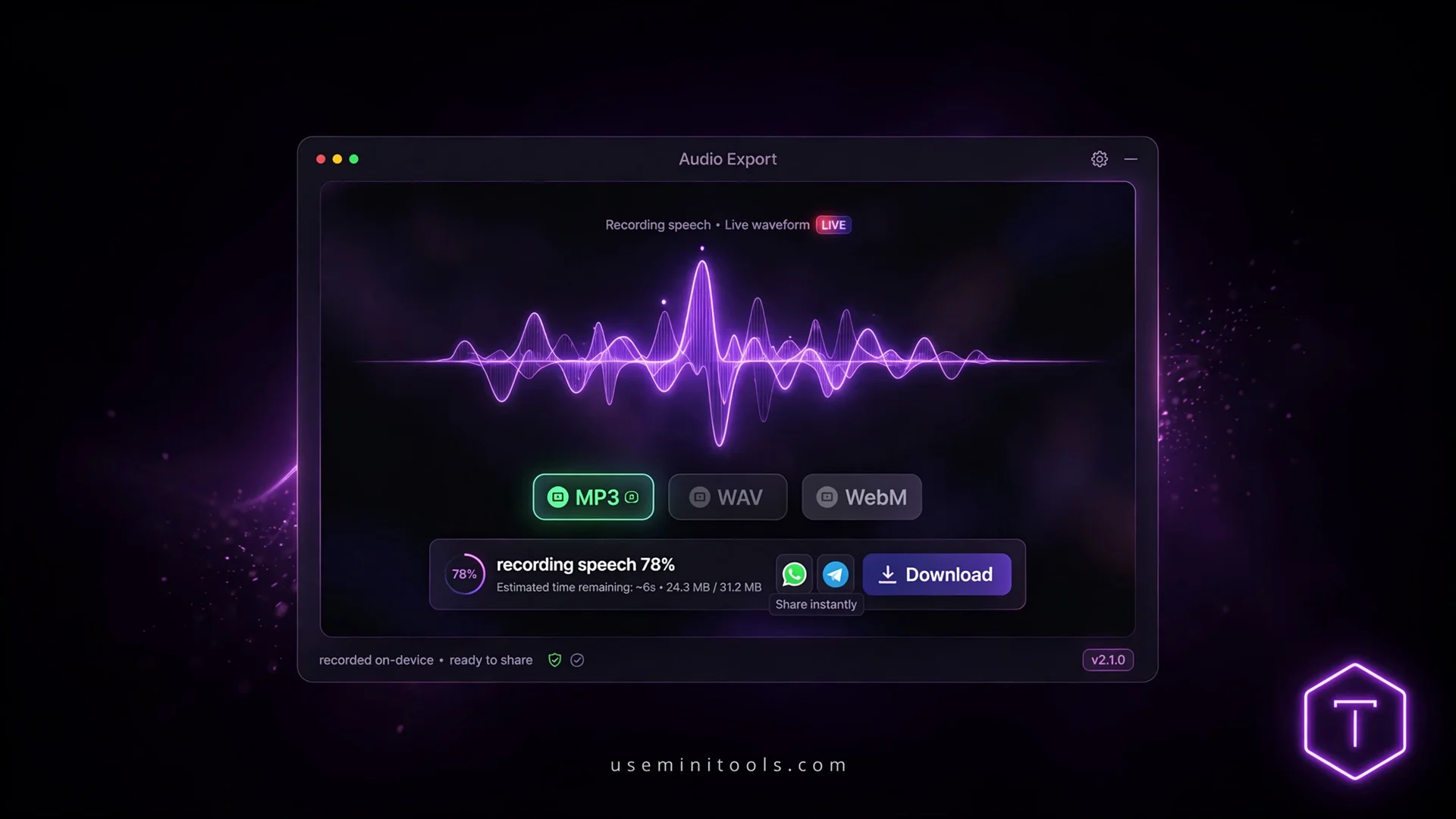
Listening is step one. Sometimes you need the audio itself — to share in a group chat, to listen on a device without the tool, to narrate a video. The Save button records the speech and hands you a real audio file: MP3 for universal playback (WhatsApp, Telegram, every phone on Earth), WAV for lossless quality, WebM for the smallest size.
One honest note about that flow: browsers require a single permission click before any tool can record — it's a privacy protection working as designed. The tool explains it on a friendly card before the browser asks, the audio is captured from the page's own playback, and nothing leaves your device at any point. No other free TTS site offers downloads this cleanly — most lock audio export behind their highest plan, if they offer it at all.
Who Lives Inside a Text to Speech Tool
The audiences surprise people. This isn't one niche — it's a stack of real daily needs:
Listener | Why they press play |
|---|---|
Students | Lecture notes and textbooks read aloud during commutes; listening reinforces reading |
Writers | The proofread-by-ear pass before publishing anything |
Drivers and walkers | Articles consumed safely on the road, eyes on the road |
People with dyslexia or eye strain | Long texts finally accessible without fatigue |
Language learners | Correct pronunciation at half speed, repeated endlessly |
Multitaskers | Email drafts and reports consumed while cooking, folding, walking the dog |
That last column is the real story: every row is a person who was going to read the text anyway — the voice just freed their eyes for something else. Accessibility isn't a feature bolted on at the end; for millions of people it's the entire reason the tool exists.
Pair It With Its Mirror: Speech to Text
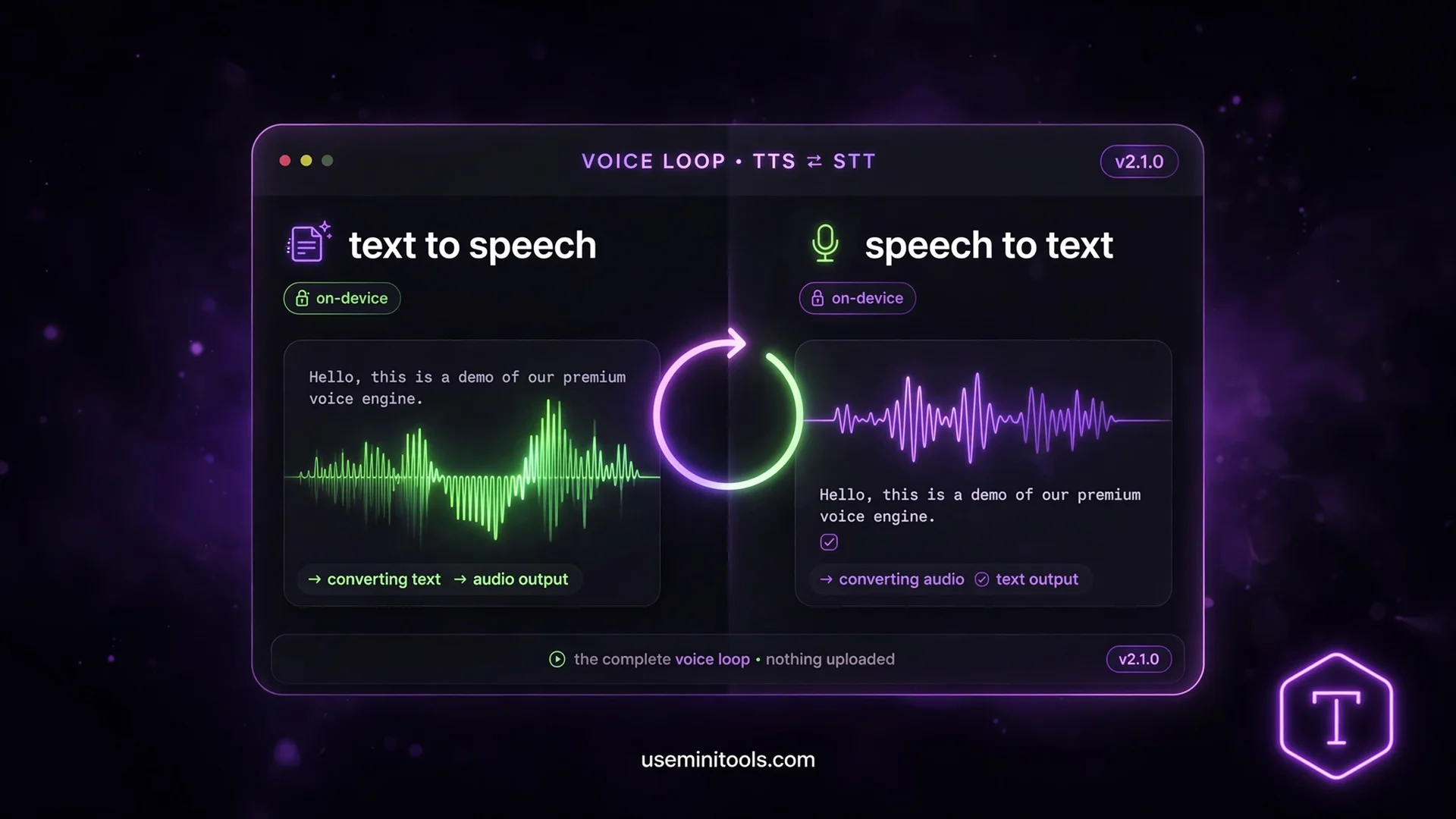
Reading text aloud and hearing speech as text are the same pipeline flowing opposite directions. If someone records a meeting, interview, or voice note, the free Speech to Text tool transcribes it with real AI — unlimited minutes, running in the browser, nothing uploaded. Together they close the loop: text to voice for consuming, voice to text for capturing.
And when the source material is an image or scanned page instead of audio, the OCR Text Extractor lifts the words off the picture first — then this tool reads them to you.
The whole family shares one rule: everything runs on your device. No uploads, no queues, no accounts, no meters running in the background.
The Honest Limits (Because Every AI Tool Has Them)
Voice quality depends on your device. Modern Windows and Edge ship neural voices that sound genuinely human. Older systems may sound flatter. The tool uses what your device offers — it can't invent better voices than your system installed
It speaks — it doesn't produce studio narration. If you need ultra-dramatic voice-over production, that's a different (and expensive) product category
Very long texts play best in parts, with the pause markers making each chunk flow naturally. The tool warns you honestly past 30,000 characters
The audio download records through your browser, so the one-permission click is part of the deal — explained on-screen before it happens
None of these are hidden. The tool's own limits box says the same things, because a tool that admits its edges is a tool you can plan around.
People Also Ask
Is this text to speech really free with no limits?
Yes — unlimited characters, no account, no API key. The voices are built into your device and everything runs in your browser, so there is no per-character server cost for anyone to bill you. The tool even shows you what the same text would cost on paid platforms.
Are the AI voices natural sounding?
On modern systems, genuinely yes — Windows, Edge and most phones now ship neural voices with natural rhythm and breathing. Older devices may sound flatter, and the tool simply uses whatever your system installed. Test with the sample button; your ears decide in five seconds.
Can I download the speech as an MP3?
Yes — MP3, WAV or WebM. The tool records its own playback and saves a real audio file you can share anywhere: WhatsApp, Telegram, video editors, your phone's music folder. Chrome and Edge support the recording flow.
Does text to speech work offline?
Once the page has loaded, yes. The voices live on your device and the tool runs in your browser — no connection needed for the actual reading. It's one of the quiet advantages of doing everything locally.
Can it read in languages other than English?
It reads in every language your device has voices for — commonly Arabic, Urdu, Hindi, Spanish, French, German, Turkish, Chinese and dozens more. Pick the voice from the language-grouped dropdown; pronunciation follows the voice you choose.
Is text to speech good for dyslexia and accessibility?
Deeply so — listening removes the decoding barrier entirely, and the follow-along highlighting supports readers who benefit from seeing and hearing together. It's one of the most important uses of the technology, and it costs nothing here.
Final Words
Somewhere between pressing play that first night and the moment my eyes relaxed, I realized the strangest part of the whole thing: this voice had been sitting on my device the entire time. No download worth mentioning, no account, no meter ticking in the corner. All those years of paywalled readers and character limits, and the technology was already home — waiting for someone to build the door instead of the toll booth.
That is what this free text to speech tool really is. Not a miracle, not magic — just your device, finally doing the thing it was quietly shipped to do. Give it your tired eyes at the end of a long day. Give it the draft you have read ten times and still cannot proofread. Give it the wall of study notes standing between you and your evening. The voice will carry them, word by glowing word, while you get your life back.
Press play. That is the whole secret.

Cipher
Founder & Lead Developer, ToolKit
Cipher is an independent developer who prefers to let the work speak for itself. He designed and coded every tool on ToolKit to ensure they remain fast, private, and beautifully designed for everyone. Focused on building premium browser-based utilities that respect user privacy.
