 Translate
Free Speech to Text - Transcribe Audio | ToolKit
Speech to Text
Transcribe audio and video with real AI running inside your browser - 90+ languages, fully editable, private.
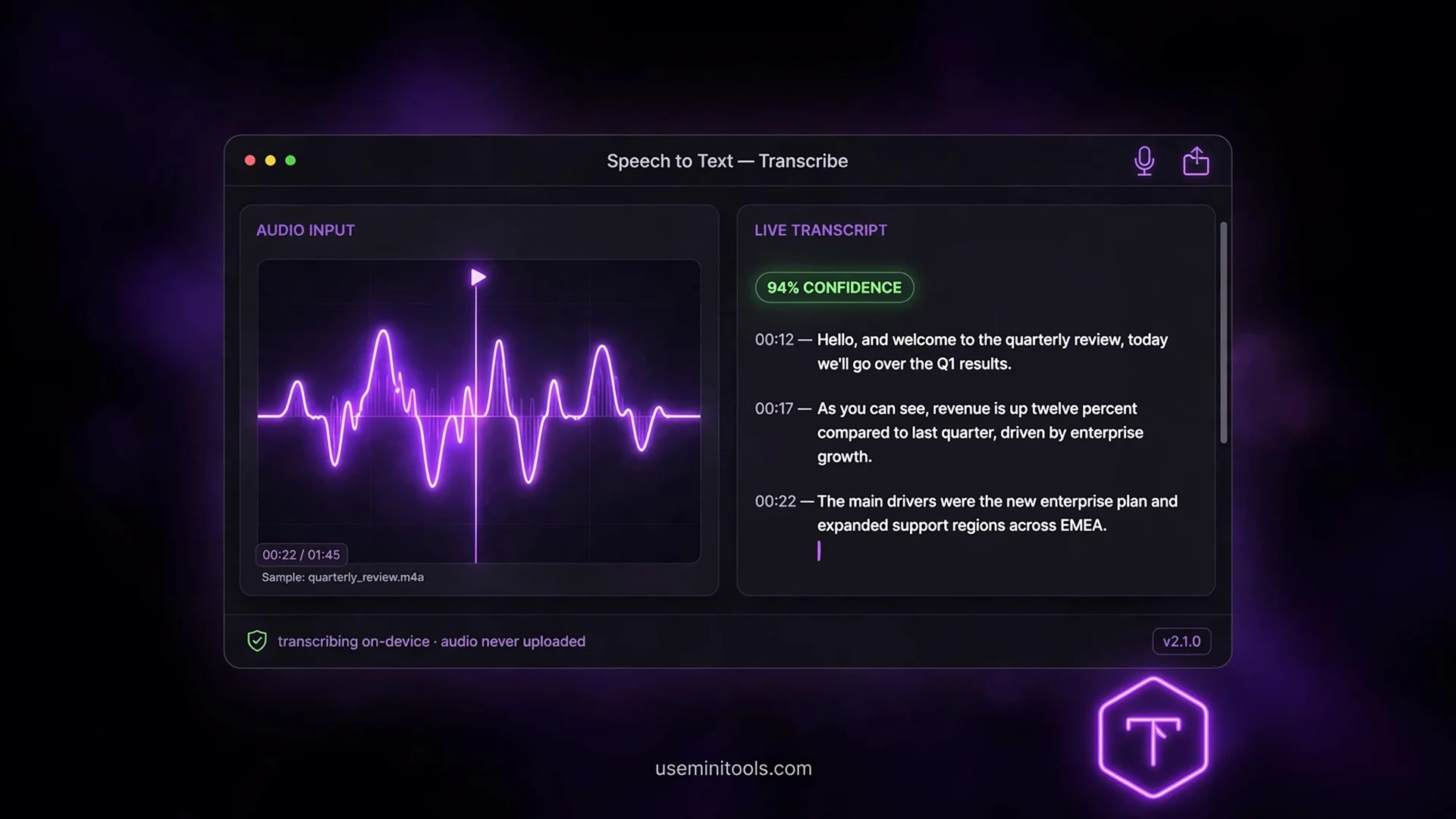
The Meeting Recording That Cost $54 — and the One That Cost Nothing
A friend of mine runs client meetings all day. Records everything — good habit, smart guy. Then he uploads each recording to a famous transcription site, because that's what everyone does. Last month his invoice arrived: $54 for transcription minutes. Fifty-four dollars, for something his own laptop is fully capable of doing while he makes coffee.
That invoice is why this article exists. There is a way to get genuinely free speech to text — not "free for 30 minutes a month" free, not "free but watermarked" free — real transcription with the same AI technology behind the world's most famous voice tools, running entirely on your own computer. Unlimited minutes. No account. Your audio never leaves your device. This guide walks through how it works, what to honestly expect from it, and the tricks that separate clean transcripts from messy ones.
What's Actually Running Inside Your Browser
The engine behind this tool is OpenAI's Whisper architecture — the same open technology that powers the transcription features of the world's most famous voice applications. But instead of your audio traveling to a server farm, the AI model downloads once into your browser and runs on your own hardware.
This inverts the entire business model of transcription websites. Their costs are servers, bandwidth and storage — which is why they meter you by the minute. Here, your device is the server. Your electricity is the cost. Which is why the 1000th minute costs exactly as much as the first: nothing, forever.
There's a privacy dimension too, and it's bigger than the money. Meeting recordings, interviews, medical consultations, voice notes you'd never want on a stranger's disk — with browser-run AI, the audio physically never leaves your computer. You can prove it: load the page, disconnect your WiFi, and transcribe. It keeps working.
Two Ways In: Record or Upload
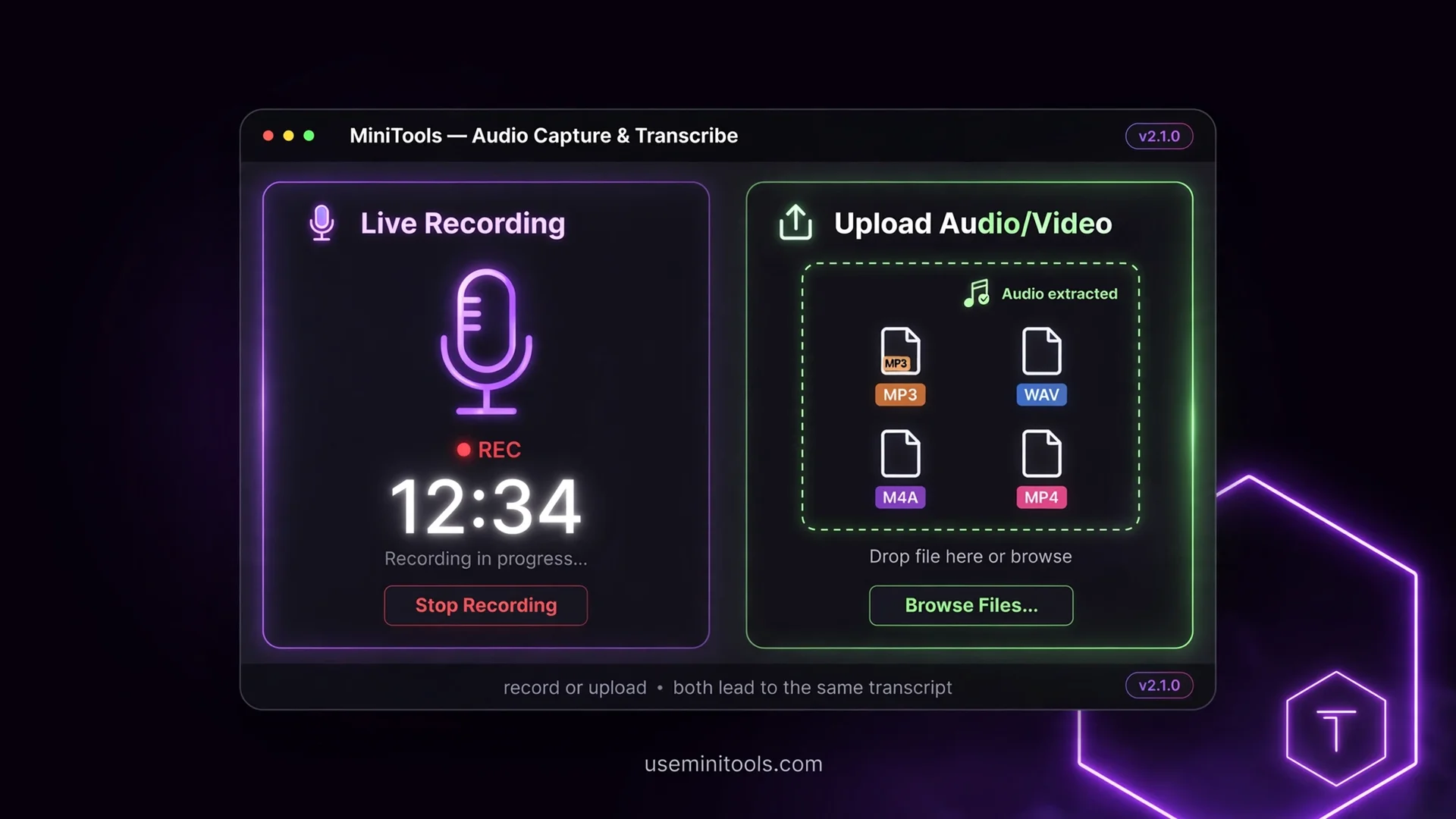
The tool gives you two doors, and both land in the same place.
Record from the microphone — for meetings, voice notes, interviews and ideas you want captured in the moment. One tap starts a live timer; one tap stops and instantly loads the recording for transcription. No third-party recorder app, no file shuffling.
Upload a file — for everything already recorded. MP3, WAV, M4A, OGG, WebM, FLAC — and here's the detail people love: video files work too. Drop an MP4 and the tool extracts the audio track automatically. Your recorded Zoom call becomes a transcript without touching a free file converter first.
One honest limit at the door: files up to 200 MB. Browsers start running out of memory beyond that, and the tool warns you instead of freezing your tab. For anything longer, split the audio first.
Choosing Your AI: Three Models, One Honest Trade-Off
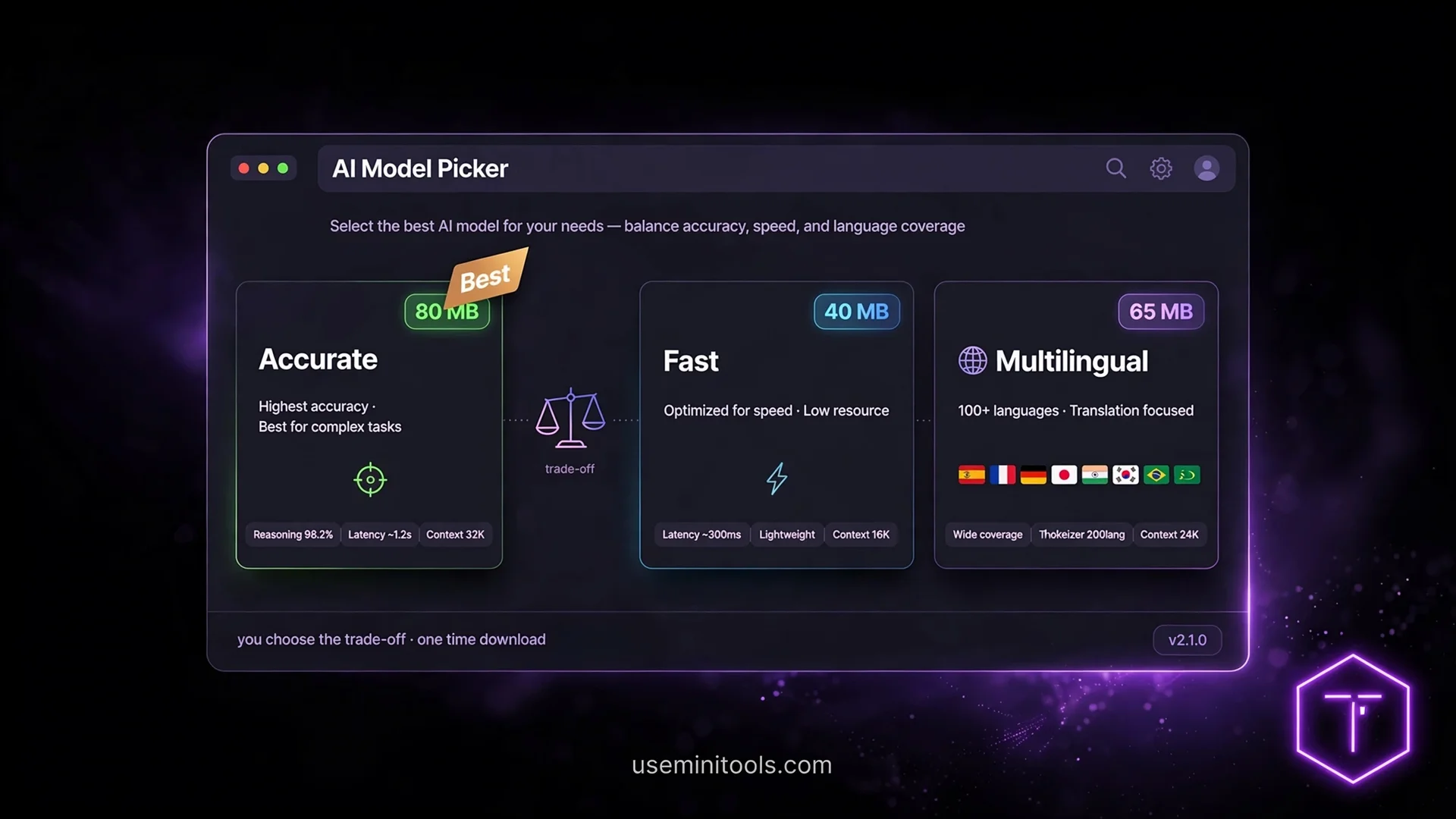
This is the setting that shapes everything, and most tools hide it from you. Here you pick the brain:
Accurate (recommended) — ~80 MB, English-only. The best accuracy for English speech. This is the default for a reason
Fast — ~40 MB, English-only. Quicker and lighter, slightly less precise on tricky audio
Multilingual — ~80 MB, unlocks 90+ languages: Urdu, Hindi, Arabic, Spanish, French, German, Turkish, Chinese, Japanese, Korean, Bengali, Indonesian and more
The trade-off is real and honest: the English-only models are the most accurate for English because every bit of their training focused on one language. The multilingual model trades a little precision for a world of languages. You choose based on your audio — and switching is free, because everything here is.
The Honest Math: What Transcription Time Really Costs
Every "instant transcription" claim on the internet is selling you something. Real AI transcription on a personal device takes real time, and this tool tells you the truth before you press start.
The rule of thumb: expect roughly 30 to 90 seconds of processing per minute of audio. A ten-minute meeting recording takes about five to fifteen minutes, depending on your device. The estimate appears under your file the moment it loads — no surprises, no marketing spin.
The audio is processed in 30-second chunks with a live progress bar, so what you're watching is genuine progress, not decoration. And one unique moment deserves its own section, because it surprises everyone the first time:
The "Page Unresponsive" Message — Do Not Panic
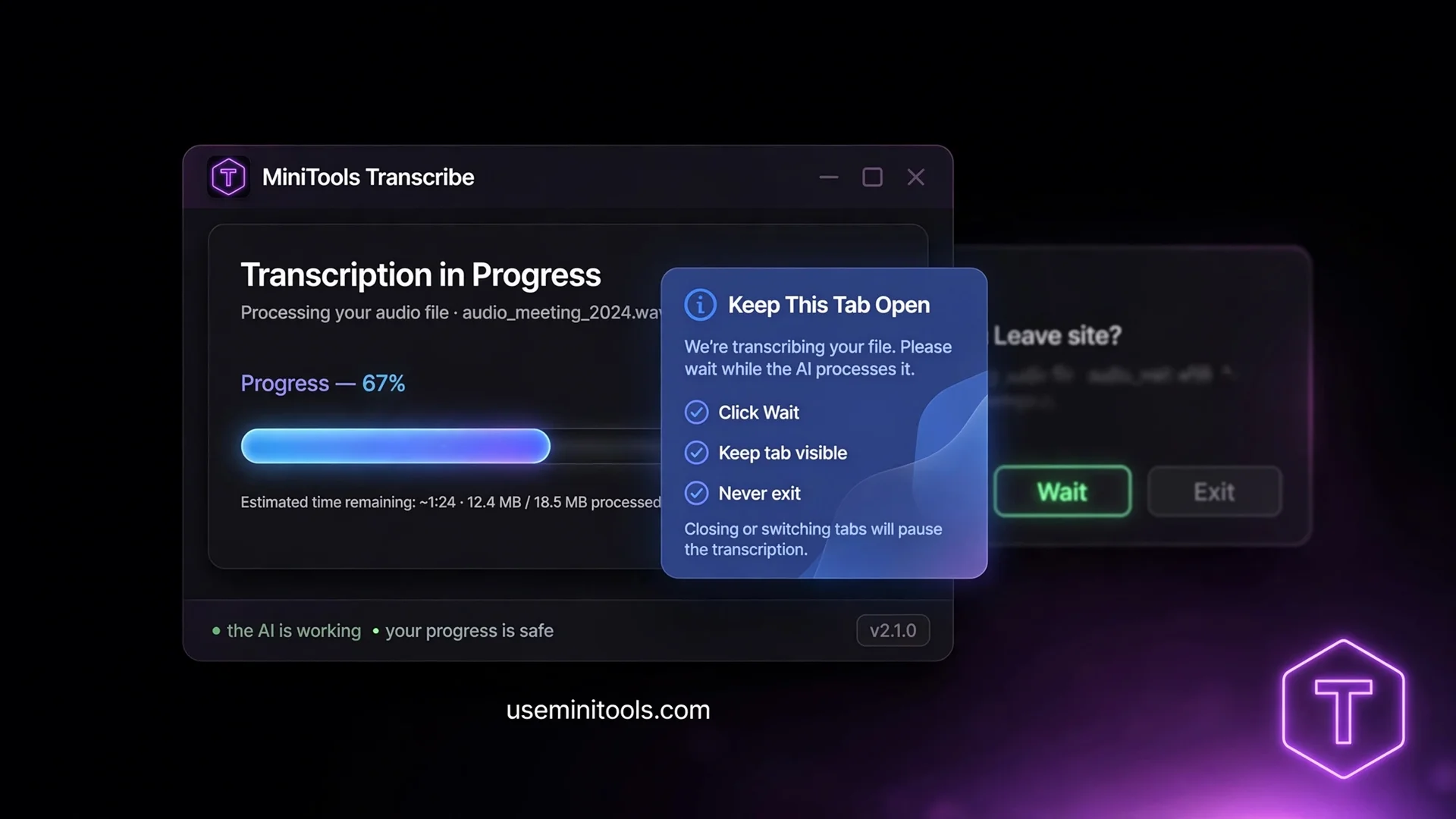
Around the middle of a long transcription, your browser may show a dramatic warning: "This page is unresponsive." Every instinct says close it. Don't. [Instead Click Wait].
Here's what's actually happening: the AI is crunching millions of calculations per second on your device, and browsers occasionally ask if the page should keep running. It's not a crash — it's the sound of the engine working. Click Wait, and the transcription continues perfectly and finishes on its own. The tool shows a friendly blue guide card explaining exactly this while it works, so the message never arrives unexplained. Keep the tab open and in the foreground for fastest results, and never press Exit — Wait is always the right answer.
A Transcript You Can Actually Edit
When recognition finishes, you don't get a frozen wall of text. You get a live, fully editable transcript with a word count, the audio duration, and a quality badge — an honest assessment based on how the recognition went: Excellent, Strong, or a warning that the audio was noisy and needs review.
Two views, one click apart:
Clean text — the full transcript in an editable box. Fix a name, a number, a misheard phrase — right there, before downloading
Timestamps — every segment with its moment in the audio, perfect for finding exactly where something was said
That editability is the professional answer to AI imperfection. No transcription on Earth is flawless; the difference between a frustrating tool and a great one is whether fixing the last 3% takes seconds or starts the whole job over. And for the small typos that survive even your edit, a free grammar checker catches the remainder in one pass.
Five Export Formats — Subtitles Included, Free
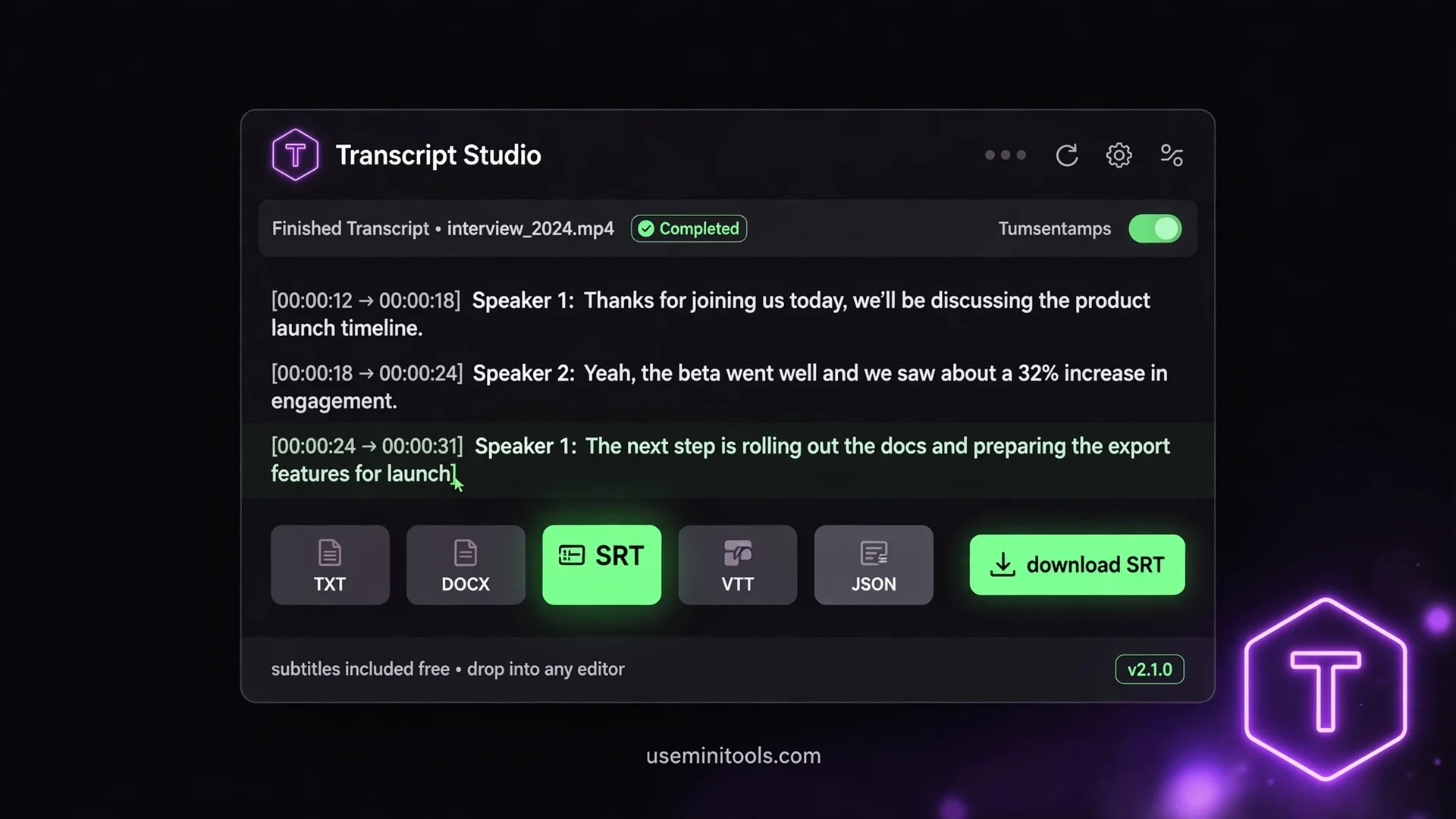
The export bar is where this tool quietly beats every paid competitor, because the formats most sites lock behind subscriptions are included here:
Format | Best for | What you get |
|---|---|---|
TXT | Notes, documents, pasting anywhere | Clean editable text |
DOCX | Reports and editing in Word | Proper paragraphs, one per line |
SRT | Video subtitles | Standard subtitle file with timing |
VTT | Web video subtitles | The web-standard subtitle format |
JSON | Developers and pipelines | Segments with timestamps, structured data |
Video creators, notice those middle two: SRT and VTT drop straight into Premiere, DaVinci, YouTube or any editor. Recording a video, then hand-typing subtitles, is one of the most tedious jobs in content creation — this turns it into a download-and-drop. And if the text you need extracted lives in an image or scanned page instead of audio, that's the sibling job for the OCR Text Extractor — same privacy model, different input.
Where It Fails — The Part Most Tools Won't Tell You
Every transcription claim of "100% accuracy" is a lie wearing a suit. Here are the honest edges:
Clear English speech: around 90–97% accurate — genuinely excellent, and the quality badge tells you when you got the good end
Noisy rooms and crosstalk: accuracy drops as competing voices rise. The badge warns you when the audio fought back
Music with lyrics: weak — every AI on Earth struggles with songs. This is a speech tool
Strong accents: usually fine, occasionally quirky — the editable transcript is the safety net
First run: the AI model downloads once (40–80 MB), then lives in your browser forever. Later sessions start instantly
The pattern behind all of it: the tool never pretends. The quality badge exists so you know exactly how much to trust each transcript before you rely on it.
Who This Is For (Real Situations, Not Imaginary Ones)
Consultants and freelancers billing meeting summaries — whose transcription costs just dropped from $54 to zero
Students recording lectures and turning hours of audio into searchable, highlightable text
Journalists transcribing interviews without uploading sensitive source recordings to anyone's server
Video creators generating subtitle files in the format their editor eats
Researchers turning recorded sessions into quotable, organized text
Anyone with a voice note too long to replay, hunting for the one detail buried inside it
People Also Ask
Is this speech to text tool really free with no limits?
Yes. Unlimited minutes, no account, no API key, no watermark. The AI runs on your own device, so there is no per-minute server cost for anyone to pass on to you. Your thousandth hour costs what your first did: nothing.
Is my audio uploaded anywhere?
No. The AI model downloads into your browser once, then everything runs locally. Your recordings never leave your device — provable by transcribing with your internet disconnected after the model loads.
How long does transcription take?
Roughly 30 to 90 seconds of processing per minute of audio, depending on your device. A 10-minute recording takes about 5 to 15 minutes. The tool shows an honest estimate before you start and a real progress bar throughout.
What languages does it support?
The multilingual model handles 90+ languages, with dedicated options for Urdu, Hindi, Arabic, Spanish, French, German, Turkish, Chinese, Japanese, Korean, Bengali and more. English-only mode gives the highest accuracy for English audio.
Can it transcribe video files?
Yes — drop an MP4, WebM or MOV and the audio track is extracted automatically for transcription. The video itself is never processed or needed beyond its sound.
Why did my browser say the page is unresponsive?
The AI runs millions of calculations per second on your device, and browsers occasionally check in. Click Wait — the transcription continues and finishes normally. Never click Exit; that closes the page and loses progress.
What are SRT and VTT files?
Standard subtitle formats. SRT works in virtually every video editor and YouTube; VTT is the web standard. Both are generated with timestamps included, free — where most transcription sites reserve subtitles for paid plans.
Final Words
My friend still records every meeting. But the $54 invoices stopped, because the transcription now happens on his own laptop — same AI lineage, same accuracy on clean audio, zero per-minute meter running. That's what free speech to text looks like when the AI actually runs where it should: on your machine, for your ears, at your speed. Record the meeting, drop the file, click Wait when the browser asks, fix the three words the AI stumbled on, download the SRT. What used to be a line item on an invoice is now just a tab in your browser.

Cipher
Founder & Lead Developer, ToolKit
Cipher is an independent developer who prefers to let the work speak for itself. He designed and coded every tool on ToolKit to ensure they remain fast, private, and beautifully designed for everyone. Focused on building premium browser-based utilities that respect user privacy.
