AI Grammar Checker – Fix Writing Mistakes Free
Picture this. You just sent an important email. You feel good about it. Two minutes later, you reread it... and there it is. "Their" instead of "there." Right at the top. For everyone to see.
That sinking feeling in your stomach? Every writer knows it. Students feel it right before submitting an essay. Job seekers feel it after hitting send on a cover letter. Even people who write for a living feel it.
Here's the weird truth: your brain reads what it meant to write, not what you actually wrote. That's why you can read your own paragraph five times and still miss a missing "the."
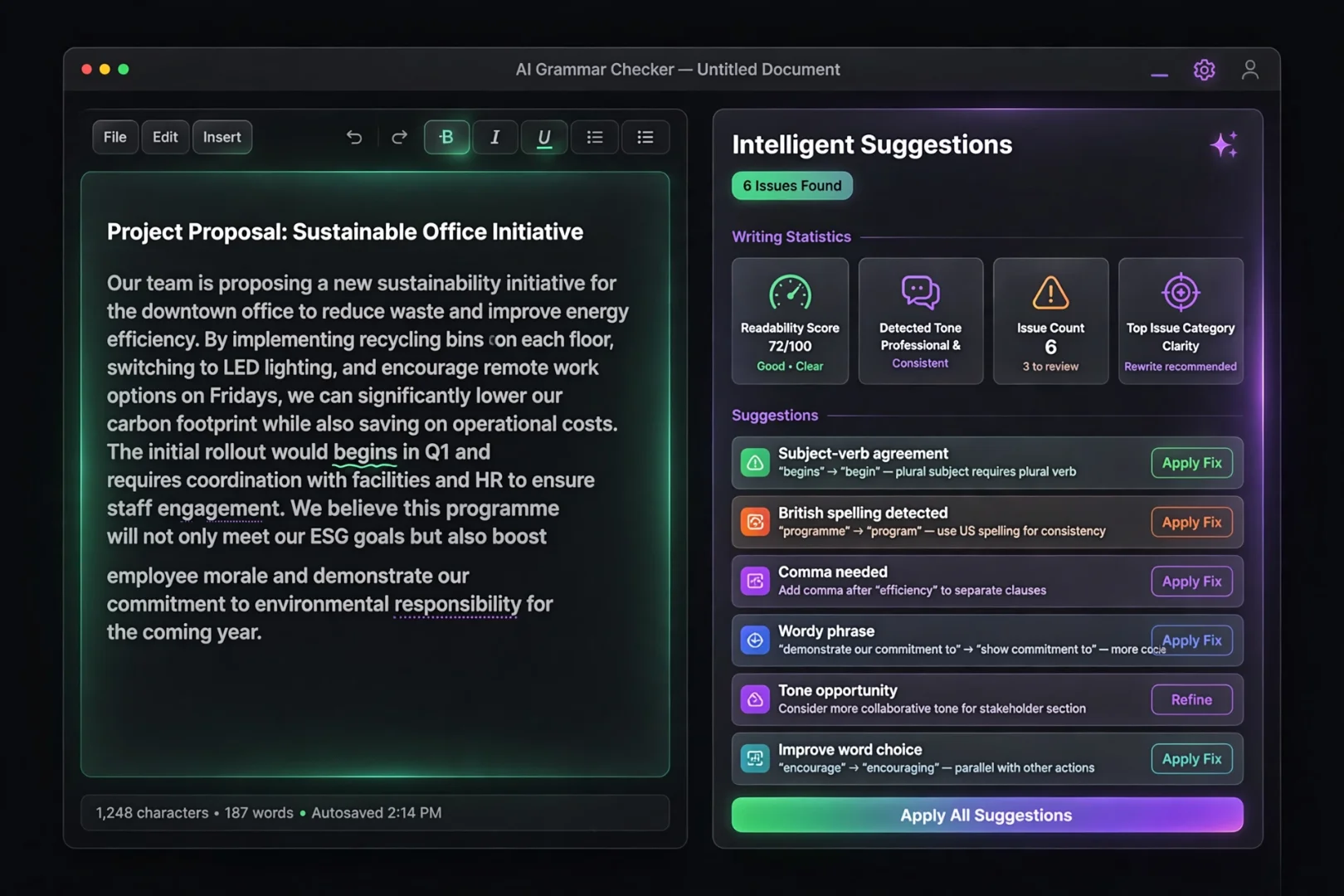
That is exactly what this free AI grammar checker was built to solve. You paste your text, a smart AI engine reads it like a careful editor, and every mistake gets underlined in a different color. Click a mistake, see the fix, apply it with one tap. No signup. No download. No "please pay to see the rest."
It's waiting for you right now at useminitools.com/tools/grammar-checker — and in this article, I'll show you everything it can do.
What Is an AI Grammar Checker?
An AI grammar checker is a smart tool that reads your writing the way a strict but kind English teacher would — then shows you every mistake and exactly how to fix it.
Old spell checkers could only catch obvious typos. "Teh" instead of "the." That was their whole personality. If you wrote a sentence that was spelled perfectly but made no sense, those old tools stayed silent.
AI grammar checkers are a different species. They understand context. They can tell when "its" should be "it's." They notice when your sentence drags on too long and loses the reader. They can even sense when your writing sounds too casual for a job application, or too stiff for a friendly message.
People search for this kind of tool in many ways: grammar check online, check my grammar, fix my grammar, grammar and punctuation checker, or sentence checker. Some people just type "is my sentence correct" into Google at midnight, hoping for mercy.
Whatever words you use, the goal is the same: send your writing into the world feeling clean and confident.
What Makes This Grammar Checker Different
Let's be honest about most free grammar tools. They check two words, then hit you with "Sign up to unlock 37 more suggestions."
This one doesn't play that game. Here's what you get, completely free:
First, it checks your writing across seven categories — spelling, grammar, punctuation, clarity, word choice, tone, and engagement. Not just typos. The deep stuff too, like confusing sentences and weak, sleepy verbs.
Second, every mistake gets a color-coded underline so you can see the type of problem at a glance.
Third, you click any mistake and get the fix instantly — plus alternative ways to phrase it and a simple explanation of why it was wrong.
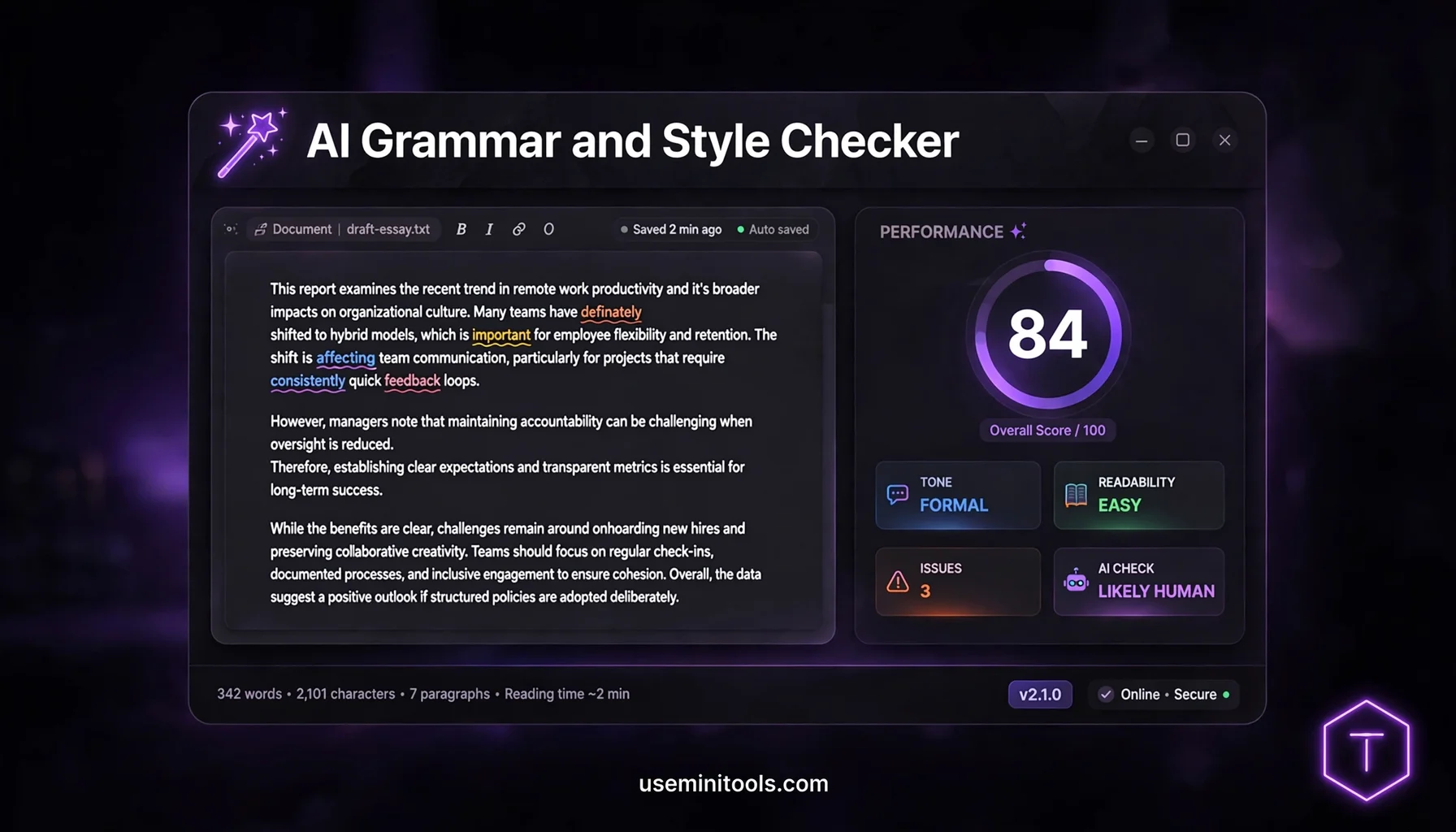
And fourth — this is the part nobody else gives away free — you get a full writing report card: an overall score, a reading level meter, a tone detector, and even an AI detection estimate.
All of it works right in your browser. Nothing to install, no account to create.
How to Use the AI Grammar Checker
Using it takes less time than making tea. Here's the whole process:
Step 1 — Paste or Type Your Text
Open the tool and paste your text into the big editor, or just start typing. A live word counter at the top shows you how many words you're working with, and an issues badge appears as soon as problems are found.
Step 2 — Let the AI Read It
You don't press any "check" button. After you stop typing, the AI engine automatically starts analyzing — you'll see a small "Analyzing text..." indicator. Within a few seconds, the mistakes light up.
Step 3 — Click Any Underlined Word
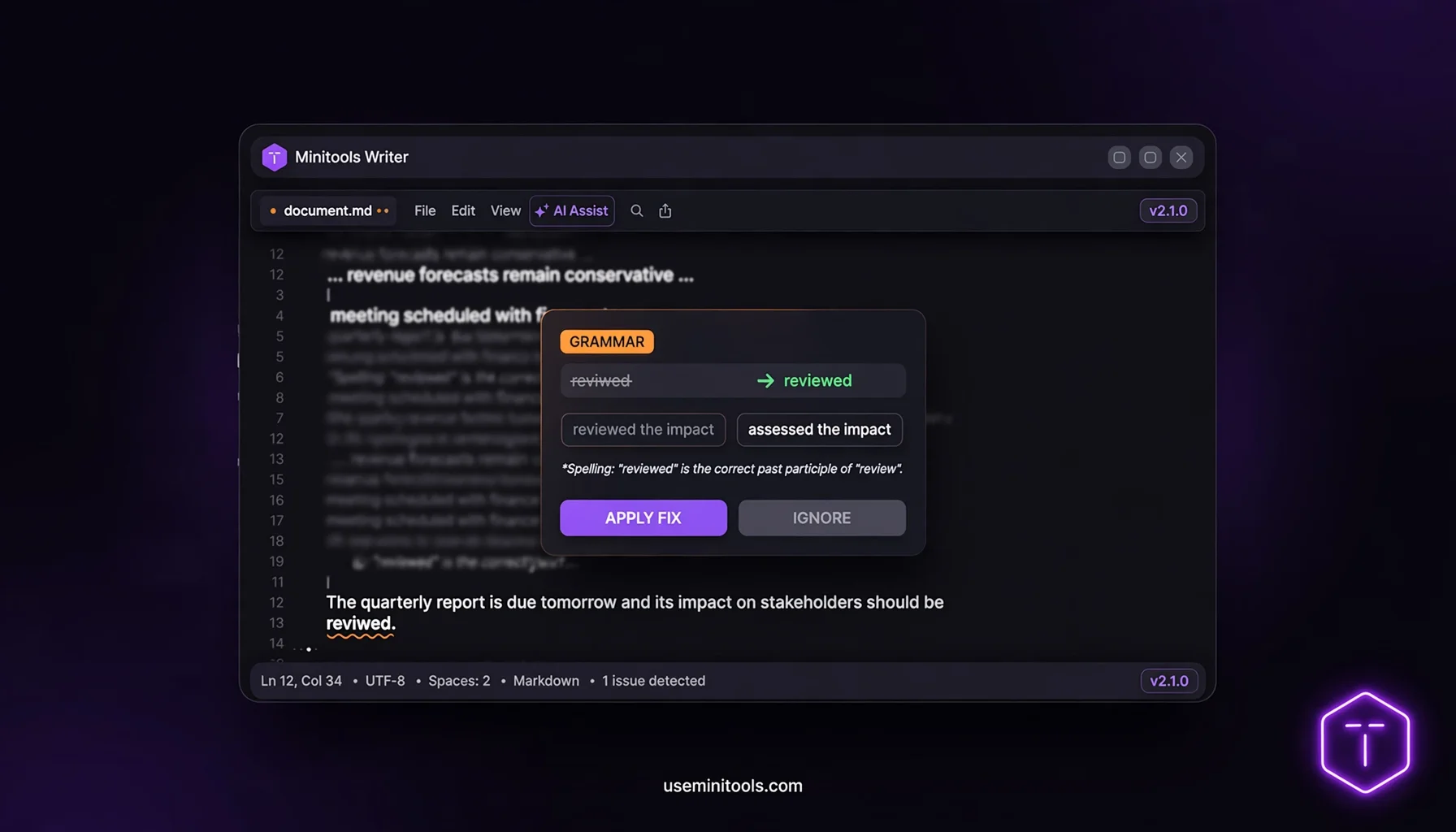
See a red squiggle under a word? Click it. A small card pops up showing your original text crossed out, the corrected version in green, alternative phrasings, and a plain-English explanation of what went wrong.
Step 4 — Apply the Fix (Or Ignore It)
Happy with the fix? One click on "Apply Fix" and your text updates instantly — all the other highlights stay in the right places. Prefer one of the alternatives? Tap it. Think the AI is wrong and you meant it that way? Hit "Ignore." You're still the writer here. The tool is your assistant, not your boss.
Step 5 — Check Your Report Card
While you fix things, watch the Performance panel on the right side. Your score climbs as issues disappear. When you're done, copy your clean text and go win the day.
The Color Code — Every Color Tells a Story
This is my favorite feature, and most grammar tools don't have it. Every mistake type gets its own color, so before you even click, you already know what kind of problem you're dealing with.
Red means spelling. A true typo — the classic embarrassment.
Orange means grammar. Subject-verb disagreements, tense slips, missing articles. The sneaky stuff spell check never catches.
Yellow means punctuation. Missing commas, runaway semicolons, apostrophe crimes.
Blue means clarity. Long, winding sentences, passive voice, wordy phrases. The AI suggests a cleaner rewrite.
Purple means word choice. Weak verbs get upgraded to strong ones. Vague nouns become specific ones.
Pink means tone and engagement. Monotonous sentence starters, missing transitions, writing that sounds hesitant when it should sound confident.
Once you use the tool a few times, you start recognizing your own patterns. "Oh, it's blue again — I always write long sentences." That's not just error fixing. That's becoming a better writer permanently.
Your Writing Report Card — The Performance Panel
Here's where this tool leaves basic checkers in the dust. The right side of your screen becomes a live dashboard about your writing.
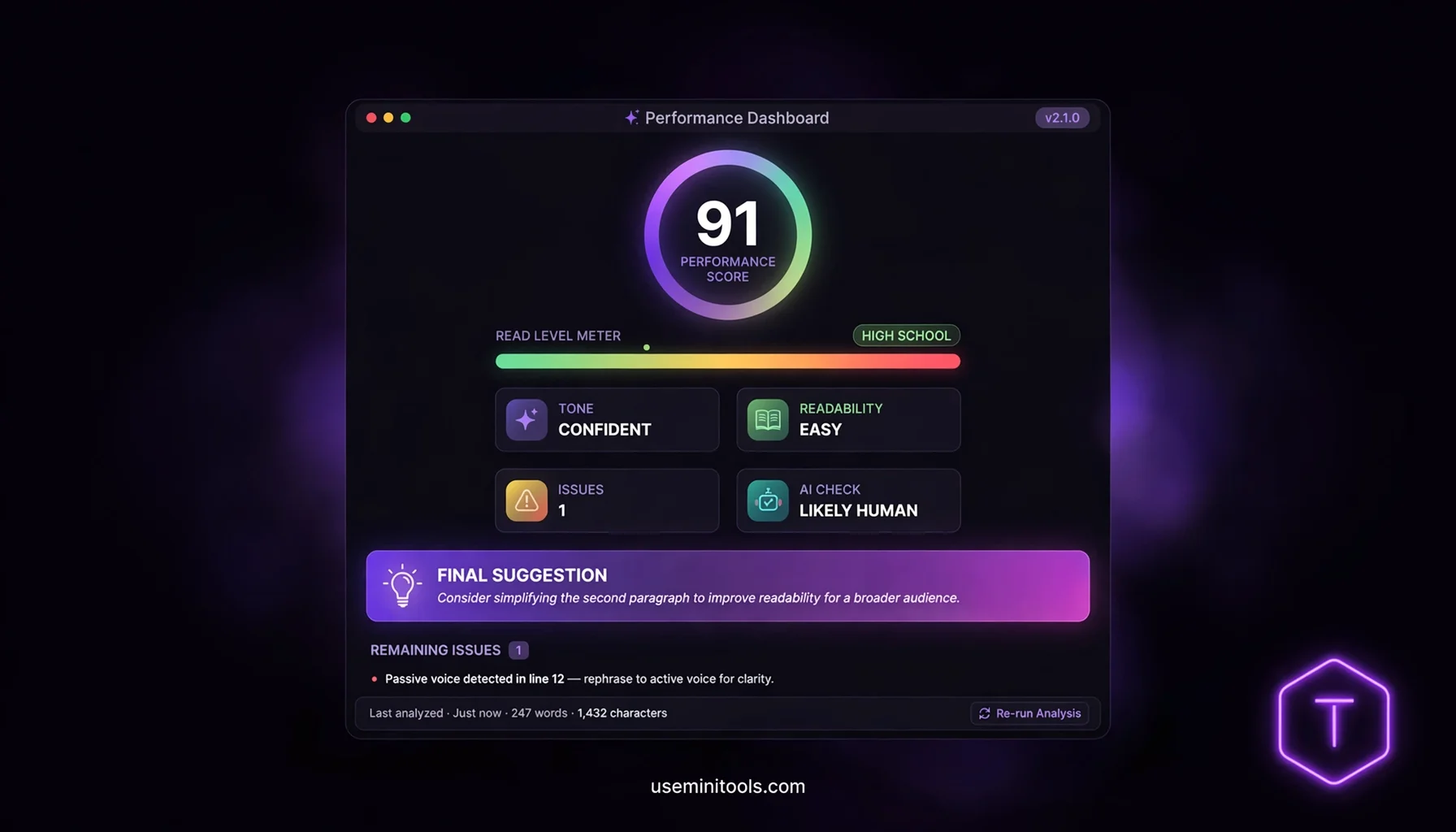
The Overall Score
A big number at the top of the panel. The more issues the AI finds, the lower it drops. As you fix mistakes, watch it climb back up. It's strangely addictive — fixing your grammar starts to feel like leveling up in a game.
The Read Level Meter
Using reading-difficulty logic, the tool estimates whether your text reads like Grade School, Middle School, High School, College, or Post-Graduate writing — shown on a color bar from green to red.
Why does this matter? Because level should match audience. An email to your boss shouldn't read like a PhD thesis. A blog post for normal humans should be easy to read. Now you can see it, not guess it.
The Tone Detector
This one is sneaky-powerful. The tool labels your writing as formal, casual, confident, hesitant, aggressive, or friendly.
Ever sent an apology email that came out sounding more hesitant than you intended? The tone detector would have caught it before your boss did. Ever written a cover letter that accidentally sounded cold? Yep. Caught.
The AI Check
The panel also estimates whether your text reads as "Likely Human," "Likely AI," or "Mixed." Handy if you're a student, a blogger, or anyone who wants their writing to sound genuinely like themselves.
The Final Suggestion
Beyond individual words, the AI gives you one big-picture tip about your whole text — its flow, its tone, its overall vibe. It's like having a senior editor write one thoughtful comment at the top of your page.
The All Issues List
Every found issue is listed in one scrollable list. Click any item and the editor jumps straight to that spot. No hunting around for squiggles.
Who Is This Grammar Checker For?
Students
Essays, assignments, applications. Fix the errors, read the explanations, and actually learn the rules so the next essay starts cleaner.
Professionals
Emails, reports, proposals, presentations. One embarrassing typo can undo a great idea. This tool makes sure the idea arrives safely.
Non-Native English Speakers
This might be the biggest group of all. If English isn't your first language, you know the anxiety of hitting send. The tool doesn't just fix your text — the explanations quietly teach you English patterns, one suggestion at a time.
Bloggers and Content Creators
Before you publish, run it through the checker. Catch the weak verbs, the tonal mismatches, the clunky sentences. Your readers will feel the difference even if they can't name it.
Job Seekers
Your resume and cover letter get read by tired, busy people. Clean writing buys you extra seconds of attention. Those seconds matter.
Free Grammar Checker vs Paid Tools — The Honest Truth
You've probably heard of Grammarly and friends. They're good tools — no argument there. But look at what they usually ask for: an account, an email, sometimes a credit card "just for the free trial," and a premium wall right when you need the good suggestions.
This AI grammar checker at useminitools.com takes a different path: open the page, paste your text, get your full analysis. No signup. No account. No credit card. The color system, the alternatives, the explanations, the report card — all of it, free.
Is it the best free grammar checker online? Try it once and judge for yourself. Most people never go back.
Tips to Get the Best Results
A few honest tips from actually using this tool:
Check your writing in chunks — a paragraph or a few paragraphs at a time. Huge walls of text take longer to analyze.
Let the analysis finish before you start clicking. The "Analyzing text..." indicator tells you when it's ready.
Read the explanations instead of just slapping "Apply Fix" on everything. That's where the real improvement happens.
Don't accept every suggestion blindly. Maybe the AI flagged a casual phrase you chose on purpose. You have the Ignore button for a reason — style is allowed.
Use the Read Level meter to match your audience before you send or publish anything.
Related Free Writing Tools
If you're polishing your writing, a couple more free tools on useminitools.com fit perfectly into your routine:
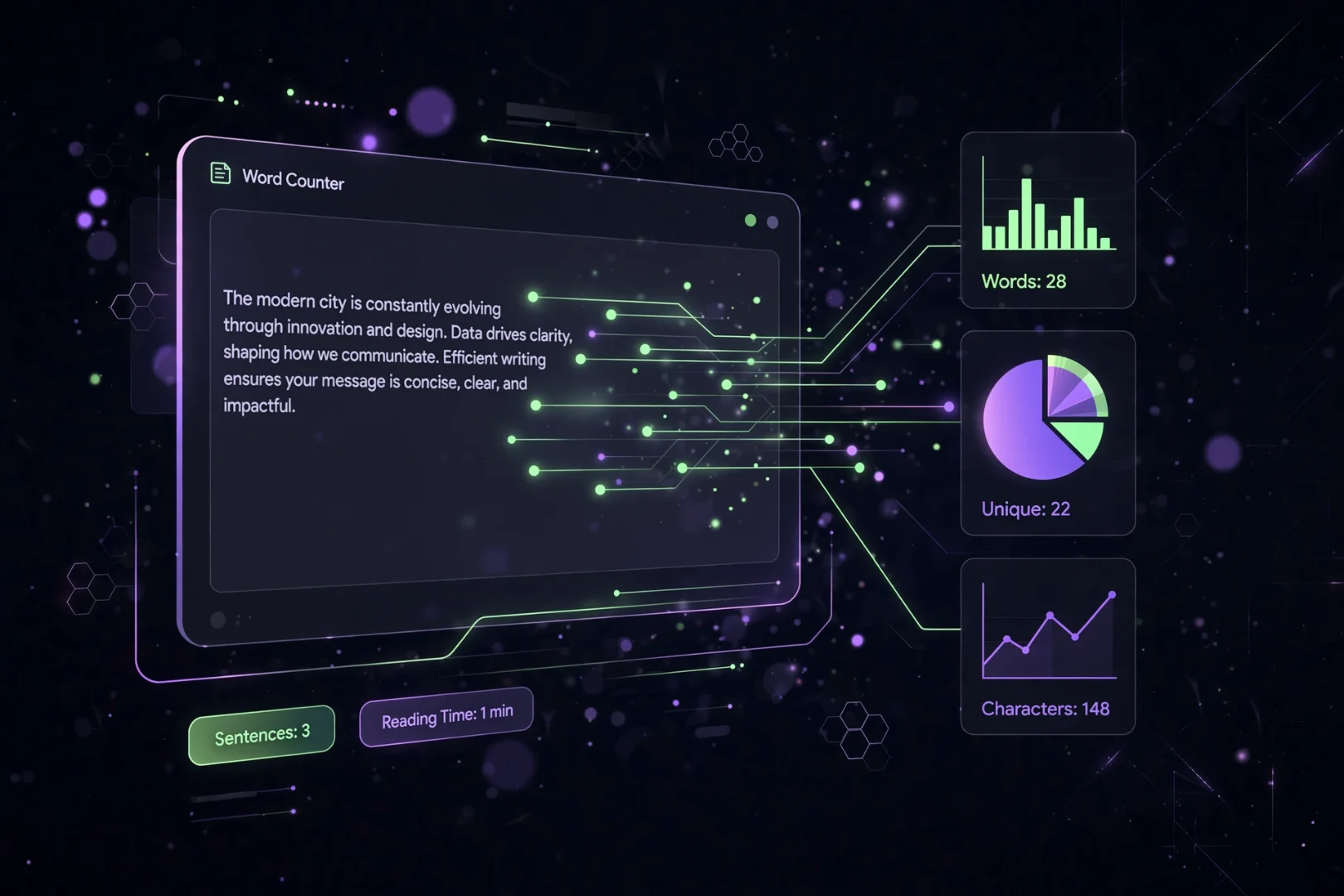
Word Counter: counts words, characters and reading time as you type — perfect pair for essays and articles with limits.
Text Case Converter: accidentally wrote a whole paragraph in ALL CAPS? Fix it in one click instead of retyping.
And of course, the star of today's show: the AI Grammar Checker at useminitools.com/tools/grammar-checker.
Frequently Asked Questions
Is this grammar checker really free?
Yes. Every feature on this page is free — the color-coded checking, one-click fixes, alternatives, explanations, and the full performance dashboard. No signup, no account, no credit card.
How is this different from Grammarly?
The core idea is similar — real-time highlights you click to fix. The differences: this tool is completely free with no account, and it includes extras many paid tools lock away, like the reading level meter, the tone detector, and the AI detection estimate.
Is my text private?
You don't need an account, so there's no account history anywhere. Your text is analyzed by the AI engine to generate suggestions — that's simply how the checking works — and nothing gets stored under your name, because there is no name. For extra-sensitive documents, you can also swap out names and numbers before checking.
Does it work for languages other than English?
It's built and tuned for English writing, which is where it performs best. For English essays, emails, and articles, it's excellent.
Can it check my whole essay or article?
Yes — paste your text and it will analyze what you give it. For very long documents, checking section by section gives you faster results and cleaner suggestions to review.
What does the "AI Check" result mean?
The tool estimates whether your writing reads as "Likely Human," "Likely AI," or "Mixed" based on how predictable and varied your sentences are. It's a helpful signal — not a court verdict.
Will it fix everything automatically?
No — and that's on purpose. You review each suggestion and choose Apply, an alternative, or Ignore. You stay the writer; the AI stays the assistant.
Does it work on my phone?
Yes. The layout adapts to smaller screens — editor on top, performance panel below — so you can check your writing from anywhere.
Final Words
Everyone has that one memory of a typo that got away. The wrong "your" in a text to a crush. The "manger" instead of "manager" in a job email. We laugh about them years later — mostly.
But here's the bigger picture: every time you fix a mistake and read why it was a mistake, you get a little better. A few weeks of using a tool like this, and you'll catch half your errors before the AI does. That's the real win. Not a clean text today — a cleaner writer forever.
Your ideas deserve to be judged by what you said, not by how you spelled it.
So paste something in. Click a red squiggle. Watch your score climb.
Your next email, essay, or blog post is about to become the best-written thing you've sent all year — and it starts with one free check at useminitools.com.
Cipher
Founder & Lead Developer, ToolKit
Cipher is an independent developer who prefers to let the work speak for itself. They designed and coded every tool on ToolKit to ensure they remain fast, private, and beautifully designed for everyone. No fame, no face — just premium tools that work.