Binary Converter | Binary to Decimal, Hex & Octal
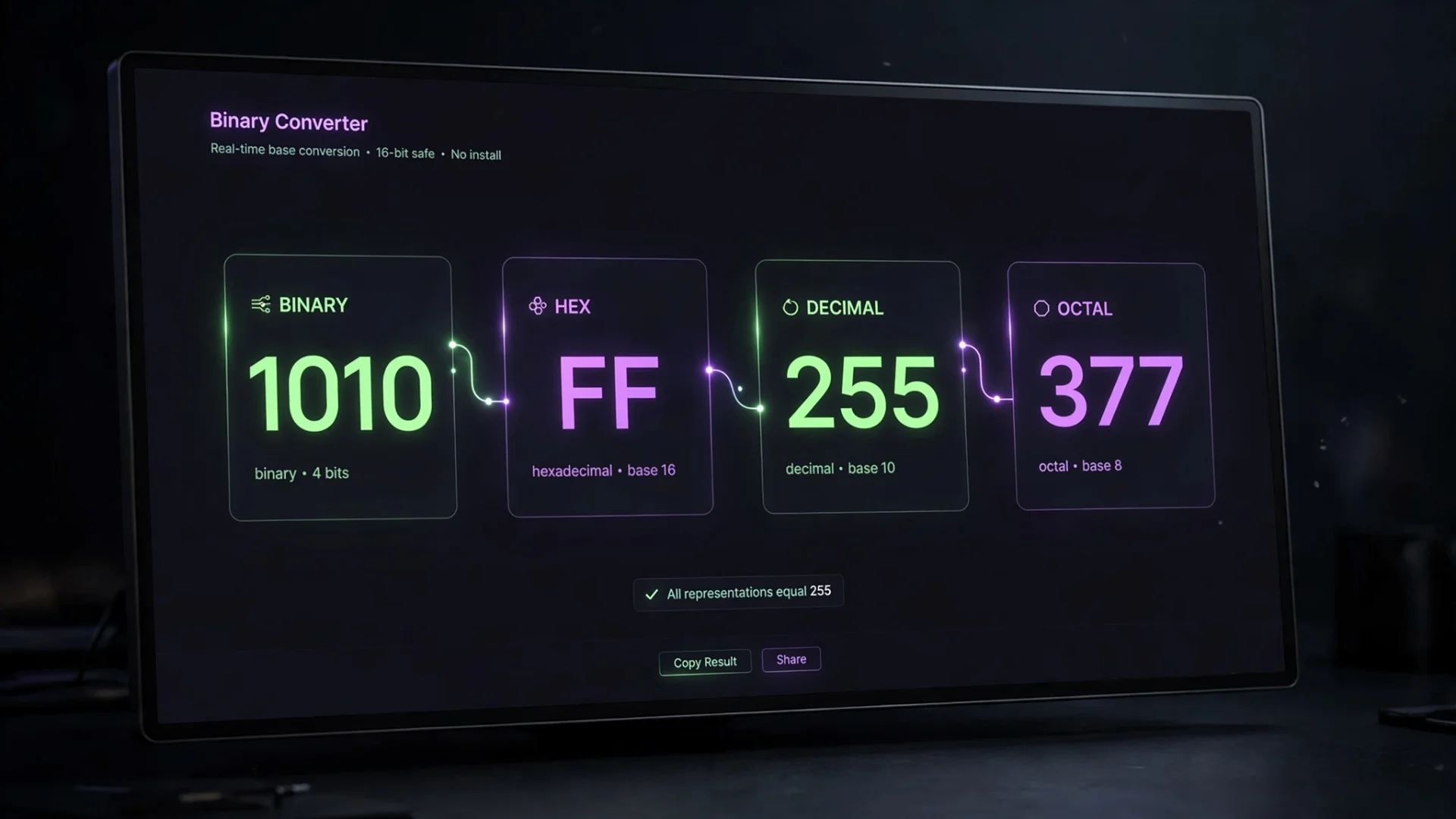
Working with binary numbers is easy until you actually have to convert them manually. Then suddenly you're counting powers of two like it's an unpaid internship.
A binary converter makes that process much faster. Instead of calculating each conversion by hand, you can enter a value and see its equivalent in other number systems.
Our Binary & Hex Converter brings several related functions together, including binary to decimal conversion, binary to hexadecimal conversion, octal conversion, text and binary conversion, hex color conversion, ASCII lookup, and bitwise calculations.
The main converter is designed to give you the result immediately while keeping the different number systems together in one interface.
What Is a Binary Converter?
A binary converter changes a number from one numeral system, or base, into another.
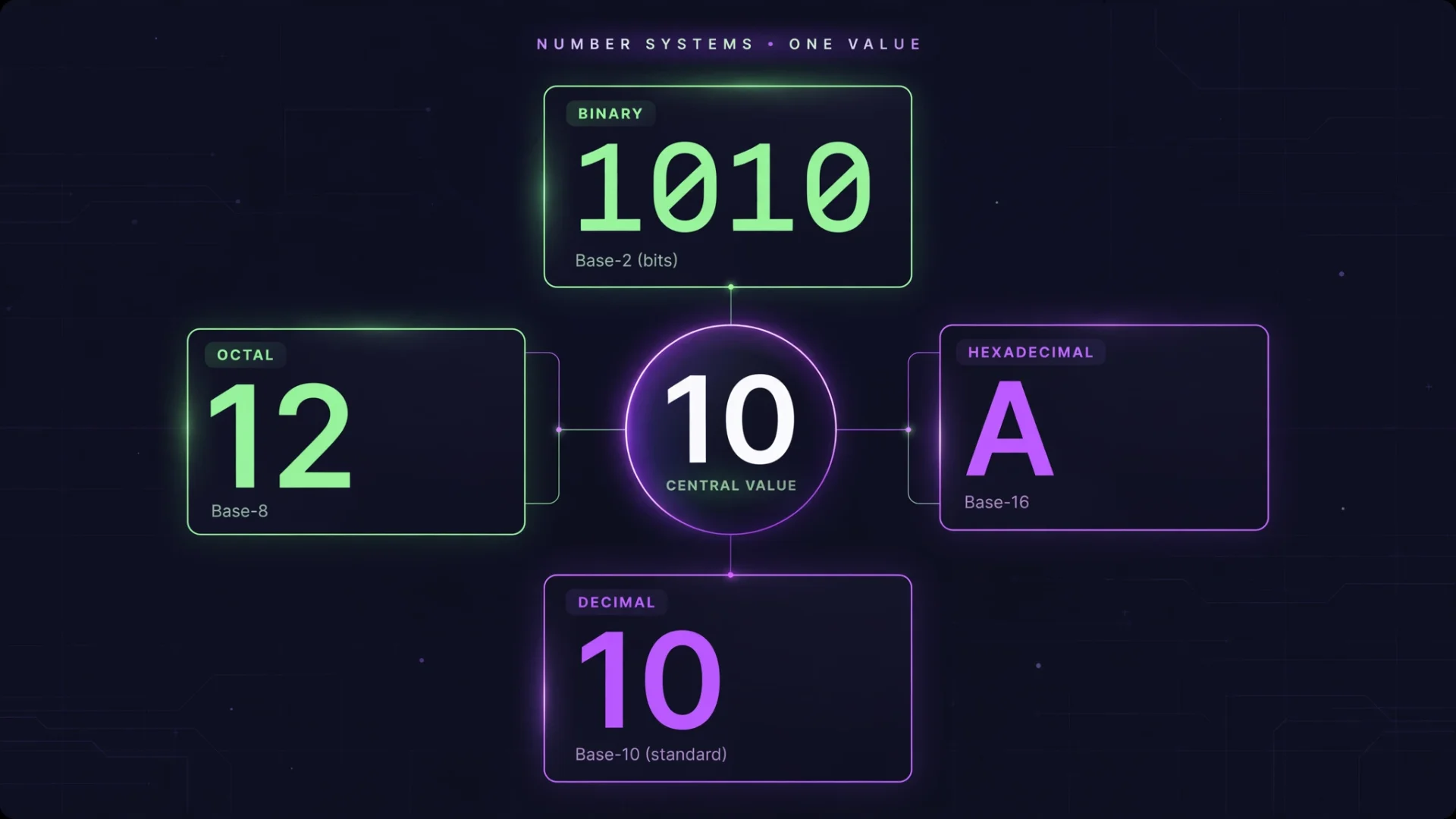
The main number systems used by the tool are:
Binary (Base 2): Uses
0and1Octal (Base 8): Uses
0through7Decimal (Base 10): The standard number system used in everyday calculations
Hexadecimal (Base 16): Uses
0–9andA–F
For example, the decimal number 255 can be represented as:
Binary:
11111111Octal:
377Hexadecimal:
FF
These are different representations of the same value.
Tools that combine these four bases are particularly useful because you can see the equivalent values together instead of performing separate conversions.
How to Use the Binary Converter
Using the converter is straightforward.
1. Enter your number
Open the converter and enter a value into the appropriate field.
For example, if you already have a binary value such as:
1010
enter it into the Binary field.
2. Check the other number systems
The corresponding values can then be viewed in decimal, hexadecimal, and octal.
For 1010, the decimal value is 10 and the hexadecimal value is A.
3. Copy the result you need
When you have the required representation, copy it for use in your code, calculation, assignment, documentation, or other work.
This approach is similar to other modern base converters that update related representations while you work rather than forcing you through several separate conversion steps.
Binary to Decimal Conversion
One of the most common reasons people search for a binary to decimal converter is to turn a base-2 number into the familiar base-10 format.
Binary uses powers of two. Starting from the right, the positions represent:
1, 2, 4, 8, 16, 32...
For example:
1010
can be understood as:
8 + 0 + 2 + 0 = 10
So:
1010 binary = 10 decimal
You can let the converter handle this calculation automatically when you simply need the result.
Binary to Hexadecimal Conversion
A binary to hex converter is useful when you need a shorter representation of a binary value.
Hexadecimal uses sixteen symbols:
0 1 2 3 4 5 6 7 8 9 A B C D E F
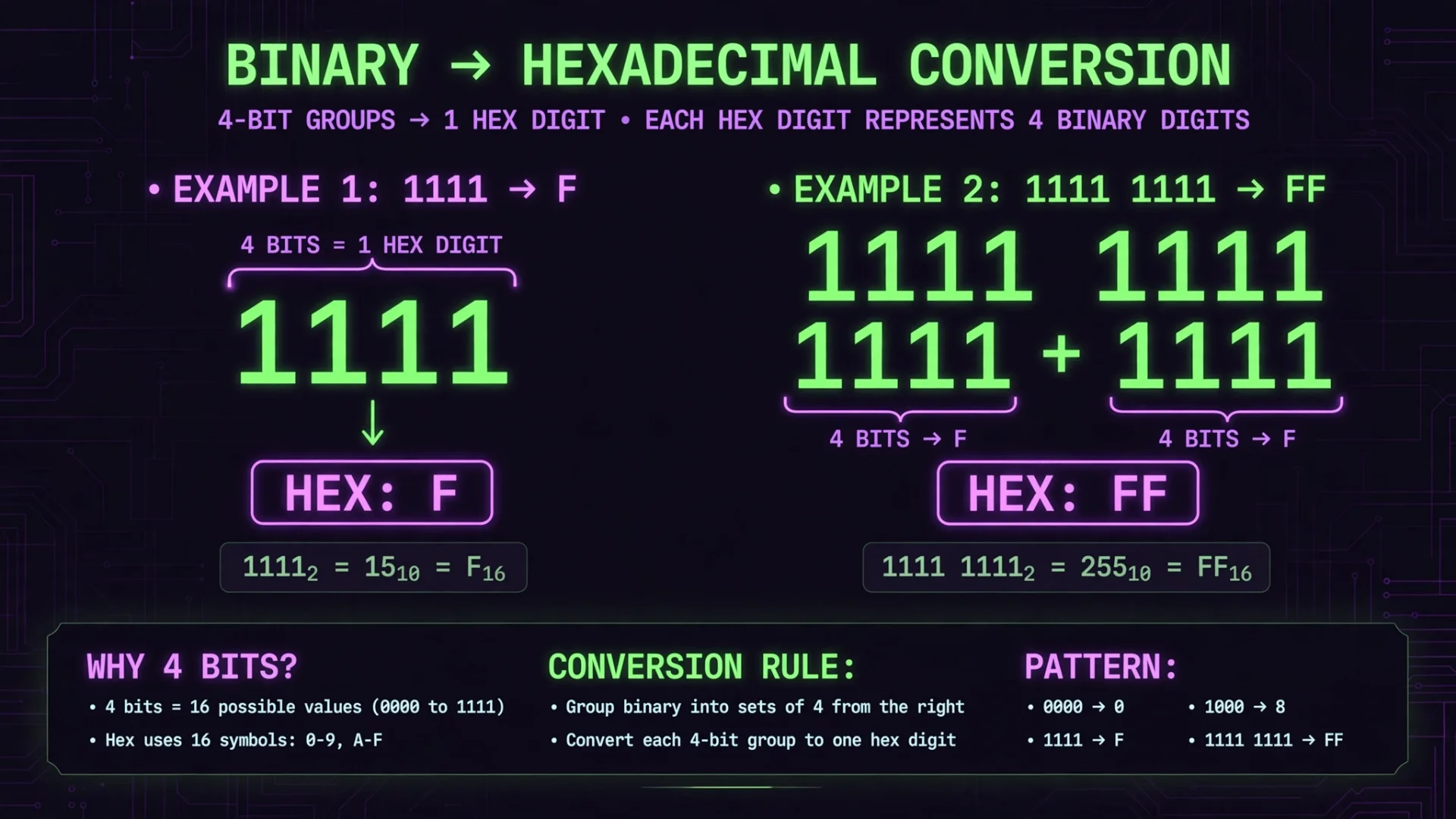
One useful relationship is that four binary bits correspond to one hexadecimal digit.
For example:
1111 → F
and:
11111111 → FF
This is one reason hexadecimal is commonly used when working with computer data and other technical values.
Decimal, Hex and Octal Conversion
The converter is not limited to binary-to-decimal calculations.
You can also work with:
Decimal to binary
Decimal to hexadecimal
Decimal to octal
Hexadecimal to binary
Hexadecimal to decimal
Hexadecimal to octal
Octal to binary
Octal to decimal
Octal to hexadecimal
This makes it useful as a general number base converter, rather than a tool that only handles one conversion direction.
Convert Text to Binary
Numbers are not the only thing you can work with.
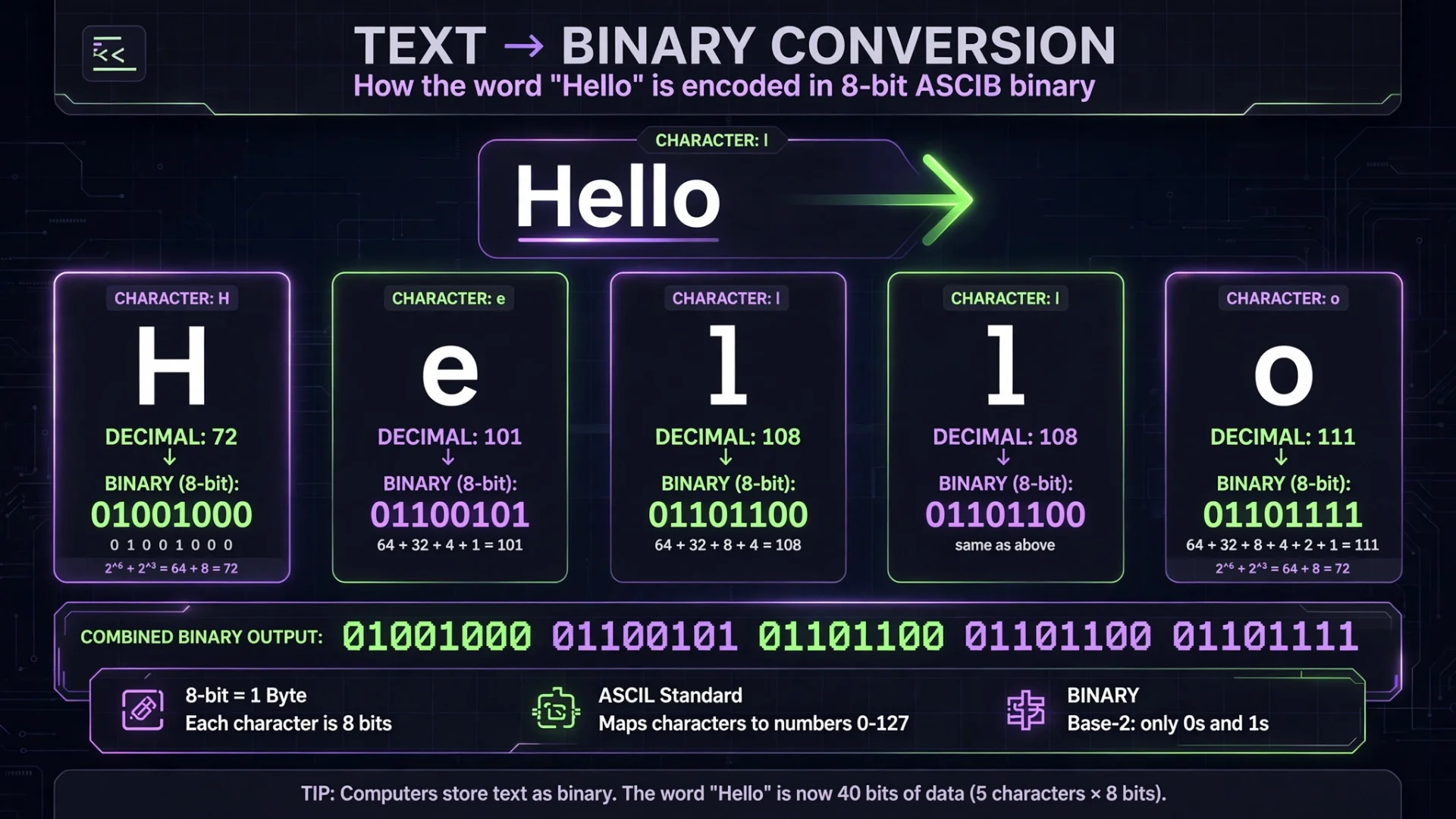
The Text ↔ Binary feature lets you convert ordinary text into binary representation and convert binary data back into readable text.
For example, a word such as:
Hi
can be represented using binary character values.
This is useful for learning how text can be represented numerically, checking character values, or experimenting with binary data.
Text-to-binary tools commonly use character codes to represent letters and other characters as binary, decimal, or hexadecimal values.
8-Bit and 16-Bit Output
When converting text to binary, the tool provides 8-bit and 16-bit options, making it easier to view the resulting binary representation in different formats.
The character-level information can also help you understand the relationship between a character, its numeric value, and its binary representation.
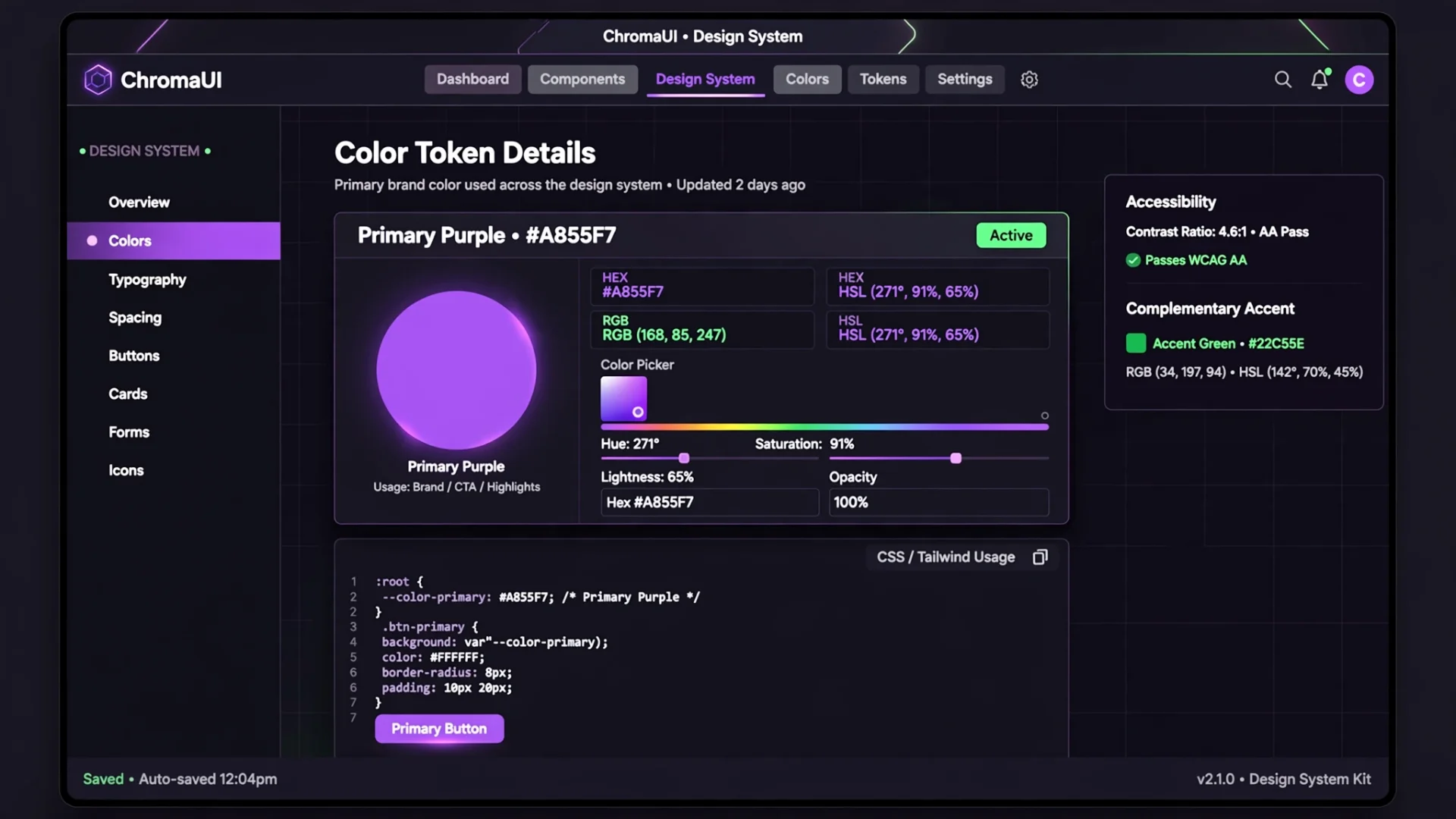
Hex Color Converter
Hexadecimal is also widely used for representing colors on websites.
The Hex Color feature lets you work with a hexadecimal color value and view related color information.
For example, a CSS color can be represented using a value such as:
#A855F7
This is useful for:
Web developers
UI designers
Front-end projects
CSS work
Checking RGB and HSL equivalents
Instead of opening a separate color converter, you can handle the color-related conversion from the same tool.
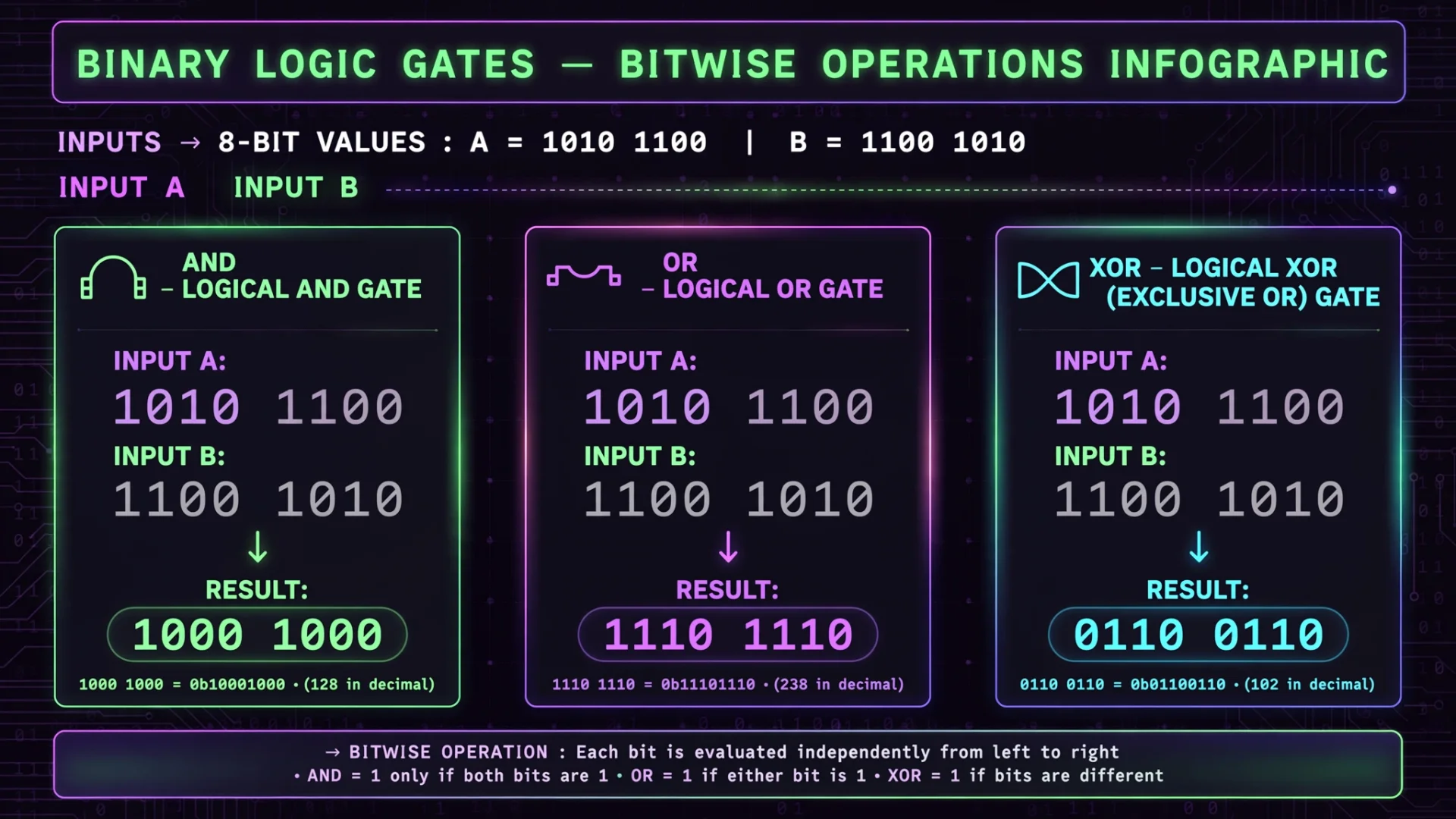
Bitwise Calculator
The Arithmetic section provides more than ordinary number conversion.
You can work with two values and perform operations such as:
Addition
Subtraction
Multiplication
AND
OR
XOR
Left Shift
Right Shift
Zero-fill Right Shift
Bitwise operations are especially useful when learning programming concepts involving individual bits.
What Are Bitwise Operations?
Bitwise operations work with the individual binary digits that make up a number.
For example, an AND operation compares corresponding bits from two numbers. Other operations such as OR and XOR follow different rules.
If you're learning programming, this section can help you experiment with these operations without manually working through every binary digit.
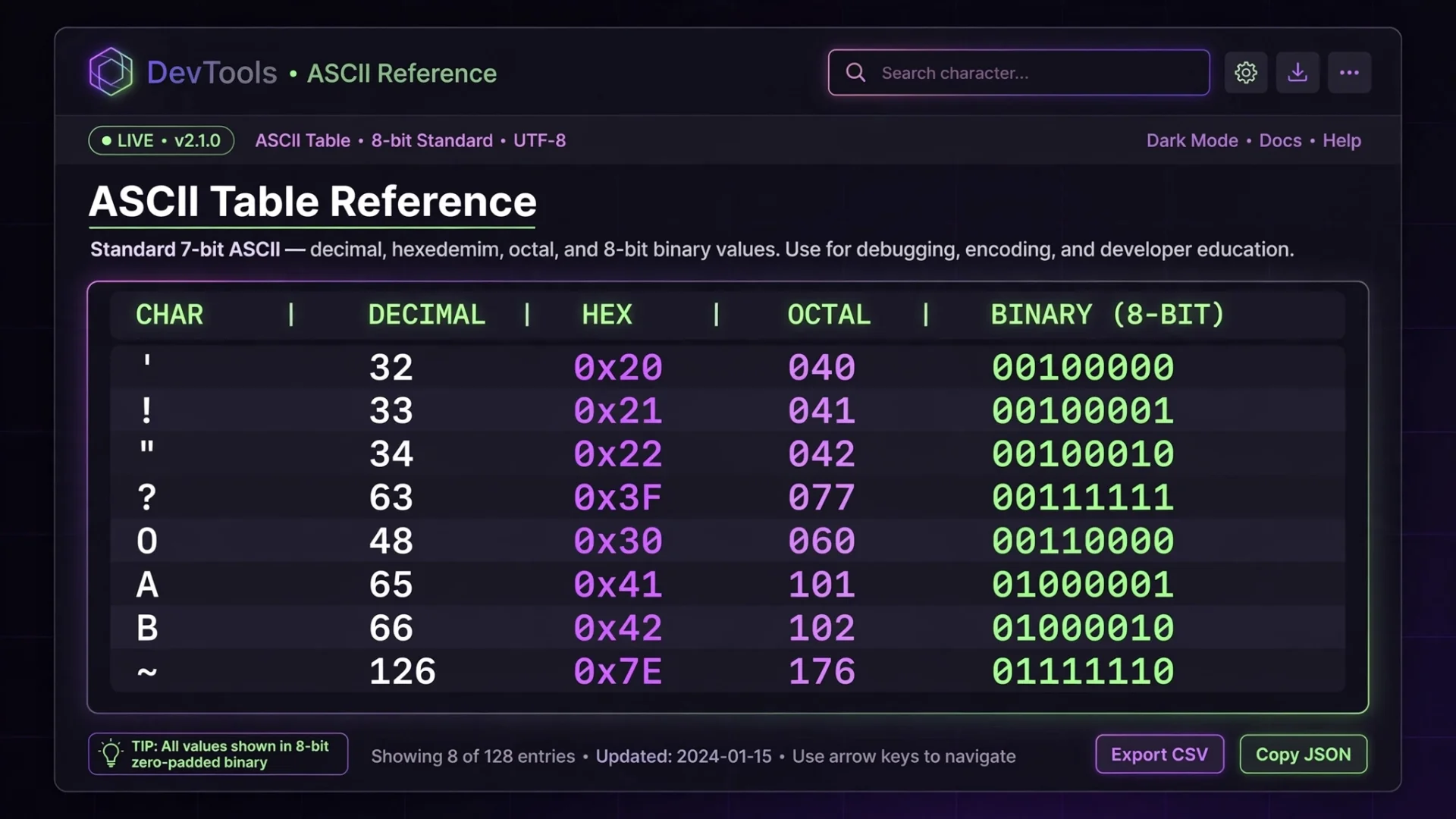
Explore the ASCII Table
The ASCII Table provides a quick reference for character values.
You can browse character information and see its representation in different number systems, including:
Decimal
Hexadecimal
Octal
Binary
This is particularly useful when working with text encoding, programming exercises, or trying to understand how characters relate to numerical values.
ASCII assigns numerical values to common characters, which can then be represented in different bases.
Who Can Use This Binary Converter?
A binary converter online can be useful in several situations.
Students
Students studying computer science, number systems, digital logic, or programming can use it to check conversions and understand how different bases represent the same number.
Programmers
Developers may need to switch between binary, hexadecimal, and decimal while working with values in code or debugging technical data.
Web Developers
The hex color feature can be useful when working with CSS colors and checking different color representations.
Anyone Learning Binary
If you're simply trying to understand how numbers and characters are represented inside computers, experimenting with the converter can make the concepts easier to follow.
Why Convert Binary to Hex?
Binary is useful because computers work with bits, but long sequences of 0 and 1 can become difficult for humans to read.
Hexadecimal provides a shorter representation.
For example:
11111111
becomes:
FF
That makes hexadecimal much easier to read and write when dealing with larger binary values.
A hex to binary converter works in the opposite direction, expanding hexadecimal digits back into their binary representation.
Common Binary Conversion Examples
Here are a few useful values to remember:
Decimal | Binary | Hex | Octal |
|---|---|---|---|
1 | 1 | 1 | 1 |
2 | 10 | 2 | 2 |
8 | 1000 | 8 | 10 |
10 | 1010 | A | 12 |
15 | 1111 | F | 17 |
16 | 10000 | 10 | 20 |
32 | 100000 | 20 | 40 |
64 | 1000000 | 40 | 100 |
128 | 10000000 | 80 | 200 |
255 | 11111111 | FF | 377 |
A conversion table like this can be useful for quick reference, while the converter is more practical when you're working with values that aren't already listed.
People Also Ask
What is a binary converter?
A binary converter changes numbers between binary and other number systems such as decimal, hexadecimal, and octal.
How do I convert binary to decimal?
Enter the binary number into the Binary field. The converter provides its decimal equivalent automatically.
How do I convert binary to hex?
Enter the binary value into the converter and check the hexadecimal result. For example, 1111 equals F in hexadecimal.
Can I convert hexadecimal to binary?
Yes. Enter the hexadecimal value and use the corresponding binary result.
What is a hexadecimal converter used for?
A hexadecimal converter can be used to change values between hexadecimal and other number systems, including binary, decimal, and octal.
Can I convert text to binary?
Yes. Use the Text ↔ Binary feature to convert text into binary representation and work in the opposite direction as well.
Can I use this for hex color codes?
Yes. The Hex Color feature is designed for working with hexadecimal color values and related color representations.
What is an ASCII table used for?
An ASCII table helps you find the numerical representation of characters, including their decimal, hexadecimal, octal, and binary values.
Related Tools
If you're working with text alongside binary or hexadecimal values, you can also use our Text Case Converter to change capitalization and transform text, or the Word Counter to analyze words, characters, readability, keywords, and other writing statistics.
Final Thoughts
A good binary converter should make base conversion easier without making the interface complicated. This tool brings binary, decimal, hexadecimal, and octal conversion together with additional features for text, colors, ASCII values, and bitwise operations.
Whether you're looking for a binary to decimal converter, binary to hex converter, hex to binary converter, or simply a quick way to understand number systems, you can handle those tasks from one place instead of opening a collection of separate tools.
And, mercifully, you don't need to calculate powers of two by hand every time.
Cipher
Founder & Lead Developer, ToolKit
Cipher is an independent developer who prefers to let the work speak for itself. They designed and coded every tool on ToolKit to ensure they remain fast, private, and beautifully designed for everyone. No fame, no face — just premium tools that work.
